


Default file manager applications might not always meet advanced file management needs. For those looking to maximize their device’s potential and evaluating the Best File Manager App for Android options on the market, Xiaomi’s HyperOS File Manager emerges as a highly capable alternative.
Visual Layout and Categorization
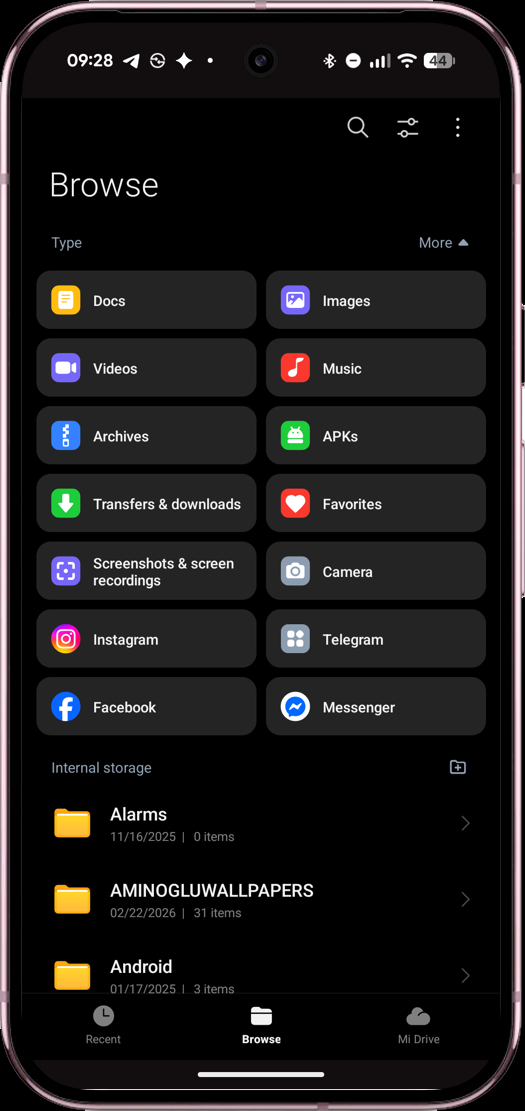
Delivering exactly what you expect from a top-tier Files app for Android, this intuitive interface prevents users from getting lost in complex directories.
Beyond the minimalist structure of Pixel devices, HyperOS File Manager provides a highly organized browsing experience. In addition to core categories like Documents, Images, Videos, and Music on the homepage, dedicated shortcuts for APKs, Archives, and social media platforms (like Instagram and Telegram) allow you to classify and locate files effortlessly.
Powerful Functionality: Beyond Basic Needs
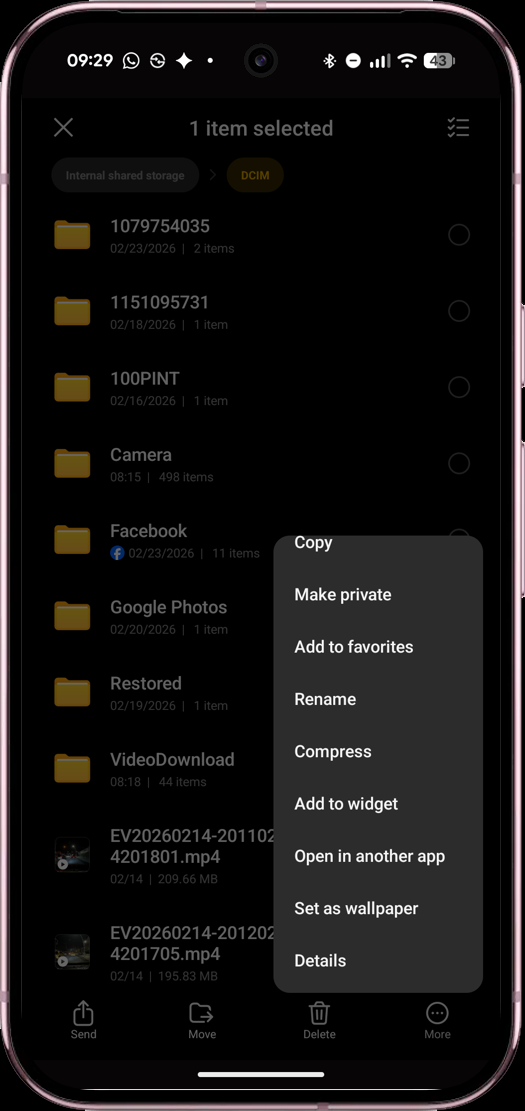
For users searching for the Best File Manager App for Android, HyperOS File Manager app built-in compression and advanced security features provide a comprehensive, all-in-one toolkit.
What separates this application from a standard file viewer is its integrated toolset. You can directly compress files into ZIP format or extract them from archives without needing a third-party app. Furthermore, the Private Space feature allows you to store sensitive files in an encrypted folder, offering a practical and essential solution for users prioritizing data security.
User-Friendly Interface (UI) and Fluidity
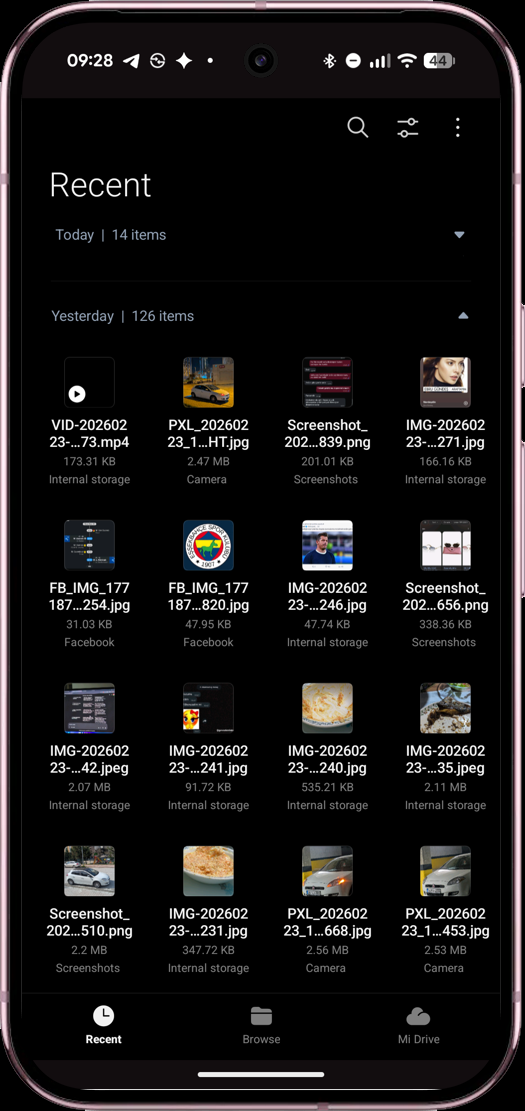
Standing out with its modern design and one-handed usability, it offers a fast, fluid, and efficient Files app for Android solution.
The app’s dark mode support and refreshed icon design harmonize seamlessly with the general aesthetics of the modern Android ecosystem. The navigation bar—featuring Recent, Browse, and Mi Drive—positioned at the bottom of the screen greatly facilitates one-handed use on large displays. The rapid response time of the “Recent” tab significantly speeds up the workflow for users who frequently download files or capture screenshots.
Overall Assessment
Enhance your stock Android experience like REDMI A series and boost device productivity with a high-performance Best File Manager App for Android. You can download HyperOS File Manager app port from HyperOSUpdates.
Reaching desired content in seconds rather than wasting time navigating through nested directories is the foundation of mobile productivity. Running stably on Android 8 and above, HyperOS File Manager stands out with its advanced folder logic and robust extra tools. If you require more control and a highly organized view of your local storage, this application remains one of the strongest utilities you can install.



“App not installed as package conflicts with another package”
Please help, I can’t get the new HyperOS File Manager working