
 Emir Bardakçı
If you visit any Xiaomi community forum, you will inevitably find one recurring complaint: “Bring back the MIUI Dialer.” Long-time Xiaomi, Redmi, and POCO enthusiasts often despise the pre-installed Google Phone and Messages apps, viewing them as a downgrade from the feature-rich, integrated native Xiaomi alternatives.
While the loss of the classic interface and native call recording is frustrating for many, this forced switch isn’t without reason. These “annoying” Google apps house a sophisticated, often-overlooked security layer that the old offline dialers simply cannot match: Real-time Spam Detection.
The Hidden Shield: Why You Need It
The Google Phone and Messages apps are not just communication tools; they are active defense systems. unlike the legacy Xiaomi apps which relied on static, local definitions, Google’s ecosystem leverages a massive, cloud-augmented threat intelligence database.
This feature works silently in the background to:
-
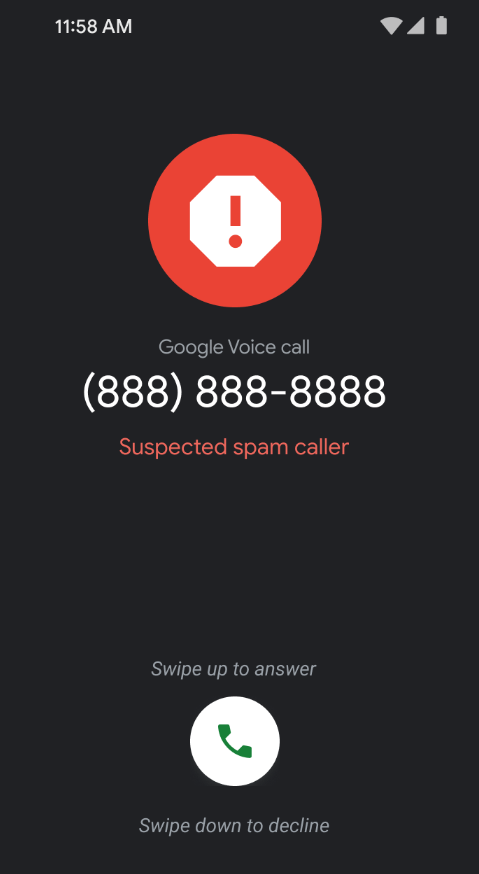
Identify Fraud: Cross-reference incoming calls against millions of reported scam numbers in real-time.
-
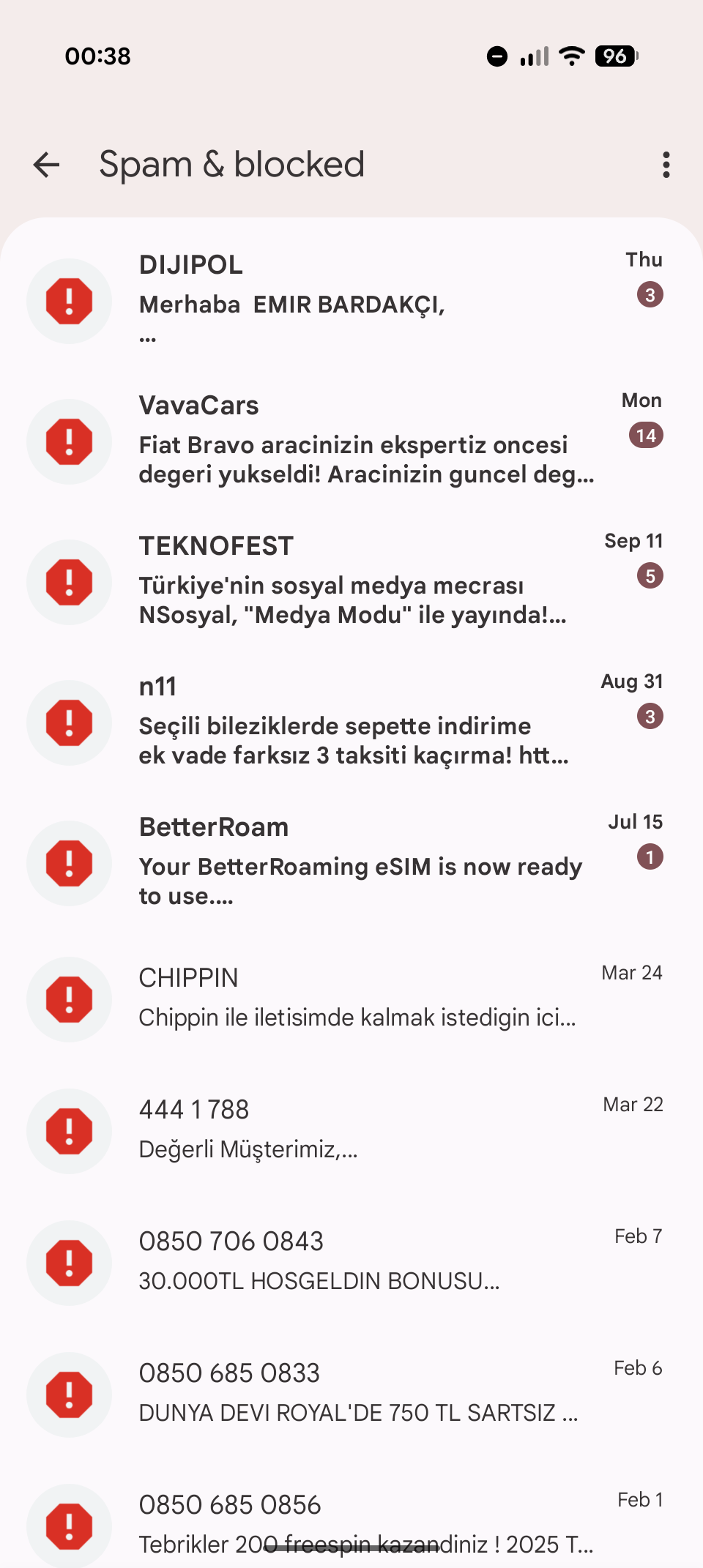
Quarantine Threats: Automatically reroute malicious SMS payloads (phishing links, fake bank alerts) into a hidden “Spam & Blocked” sandbox before they can clutter your inbox or trick you into clicking.
How to Activate Your Defense
To turn this annoyance into a security asset, you need to ensure the protection protocols are active. Here is the configuration audit:
1. Silence the Spammers (Phone App)
-
Open the Google Phone app.
-
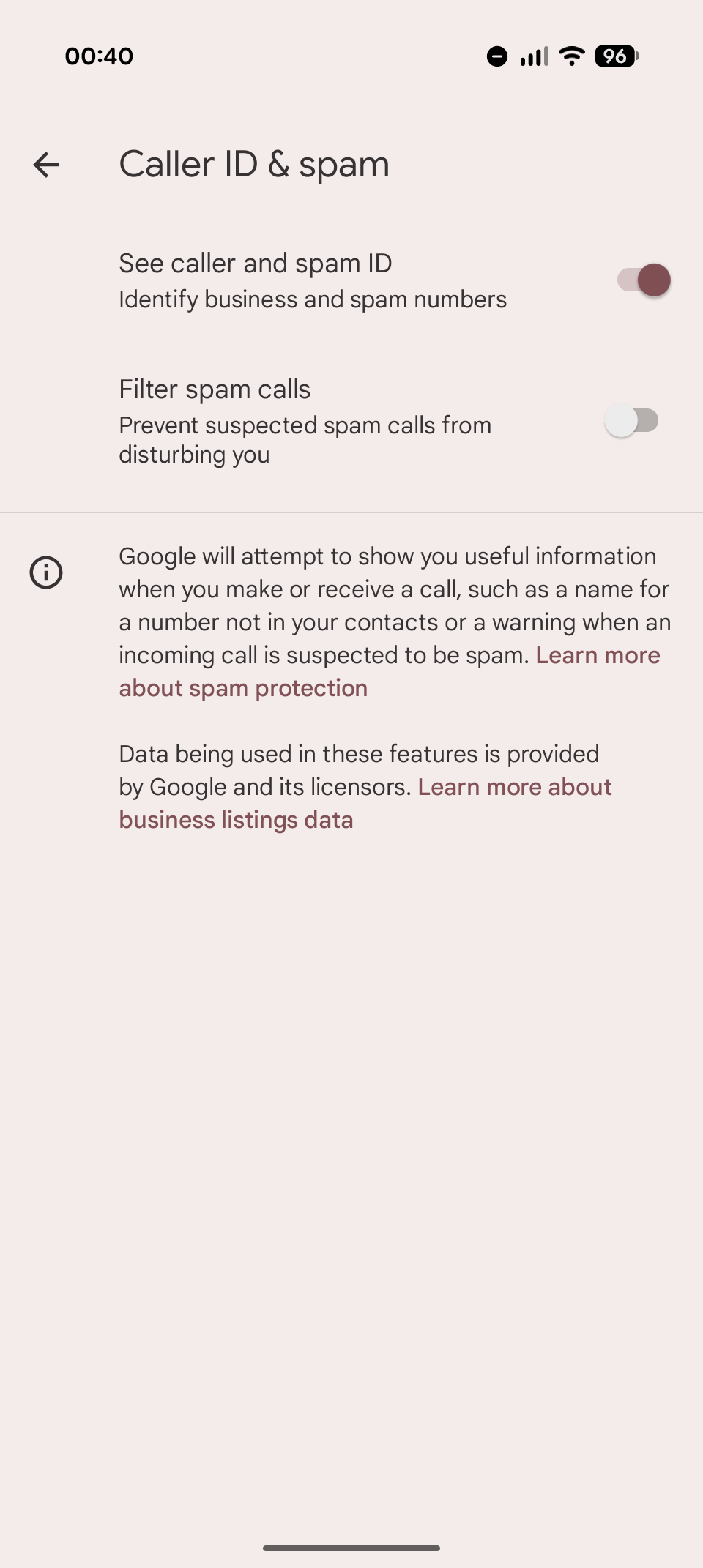
Go to Settings > Caller ID & spam.
-
Enable “Filter spam calls”.
-
Result: Your phone will now automatically block known high-risk numbers from ringing, preventing the disturbance entirely.
-
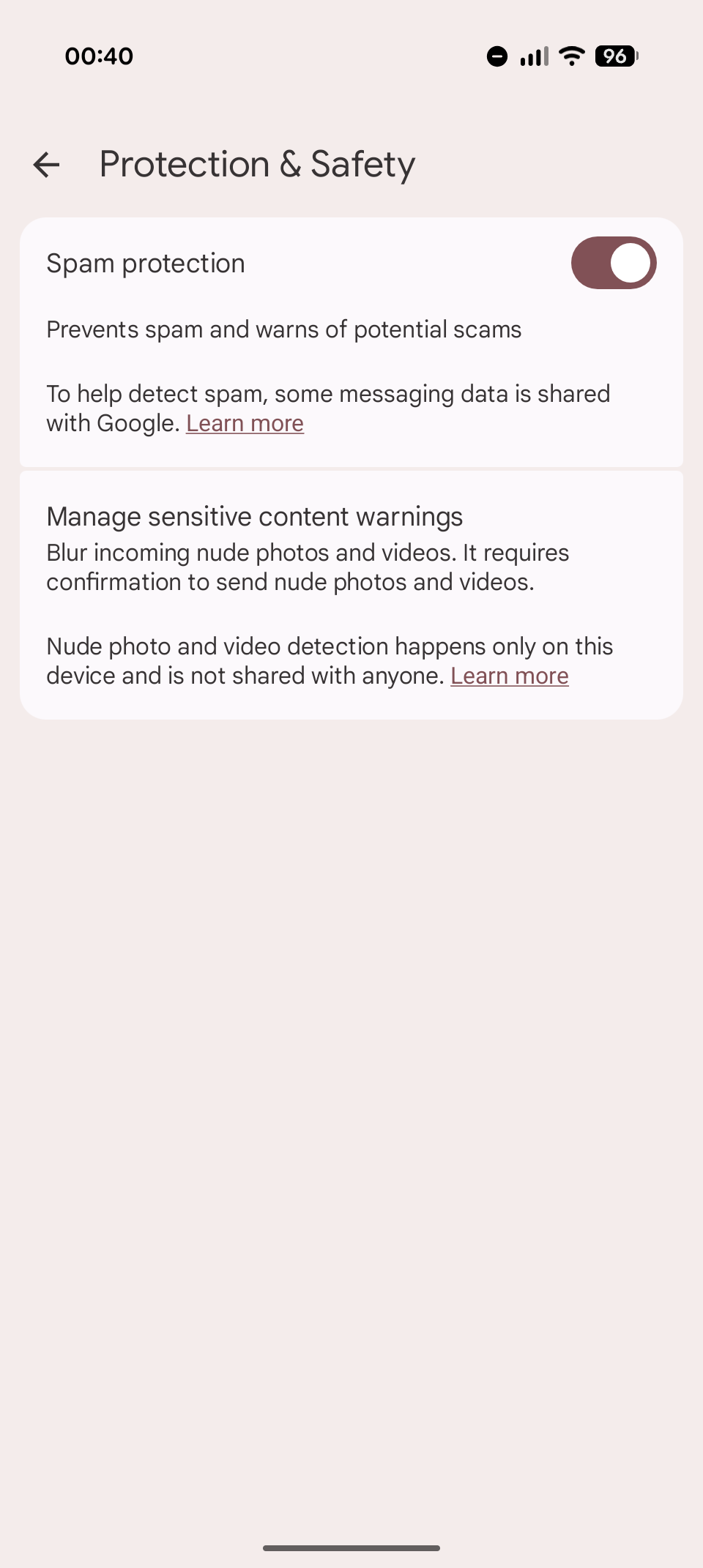
2. Clean Up Your Inbox (Messages App)
-
Open Google Messages.
-
Tap your Profile Icon and select Messages settings > Spam protection.
-
Toggle on “Enable spam protection”.
-
Result: Heuristic analysis will now screen every incoming text, segregating potential threats without you needing to lift a finger.
-


My Redmi Note 11 Pro device
My device is at risk because of the update
Downloaded the Hyper OS update
My Redmi Note 11 Pro device is at risk because of an update. The Hyper OS update was released. Has a new update for Redmi Note 11 Pro been released?
That’s not the reason, it may be a benefit for some, but not why it changed. When Xiaomi began releasing devices with Google’s dialer instead of their own there were several (global) markets where the change didn’t happen. It’s about compliance, and agreements with Google, just like the requirement to ship X Google apps as well to be able to bundle GMS.