
 Emir Bardakçı
For years, Android users have been enjoying the freedom to download applications from wherever they want. However, Google has confirmed that while this freedom still applies, it is soon to become even more frustrating for users, at least when downloading applications, through a new process dubbed “high-resistance.” If you are sideloading ports and region-locked apps using Xiaomi HyperOS, prepare for a more difficult process. Google is introducing additional steps to make sure that you are well aware of the risks involved in the process of installing an APK from a third-party source.
TL;DR
- Google has confirmed a “high-resistance” installation mode designed to add friction to sideloading.
- Matthew Forsyth (Google Play Director) calls it a “layer of responsibility” to ensure users understand security risks.
- HyperOS users who manually update system apps will face more confirmation steps and warnings.
- You can still “skip verification,” but the one-click install convenience is likely disappearing.
What is “High-Resistance” Mode?
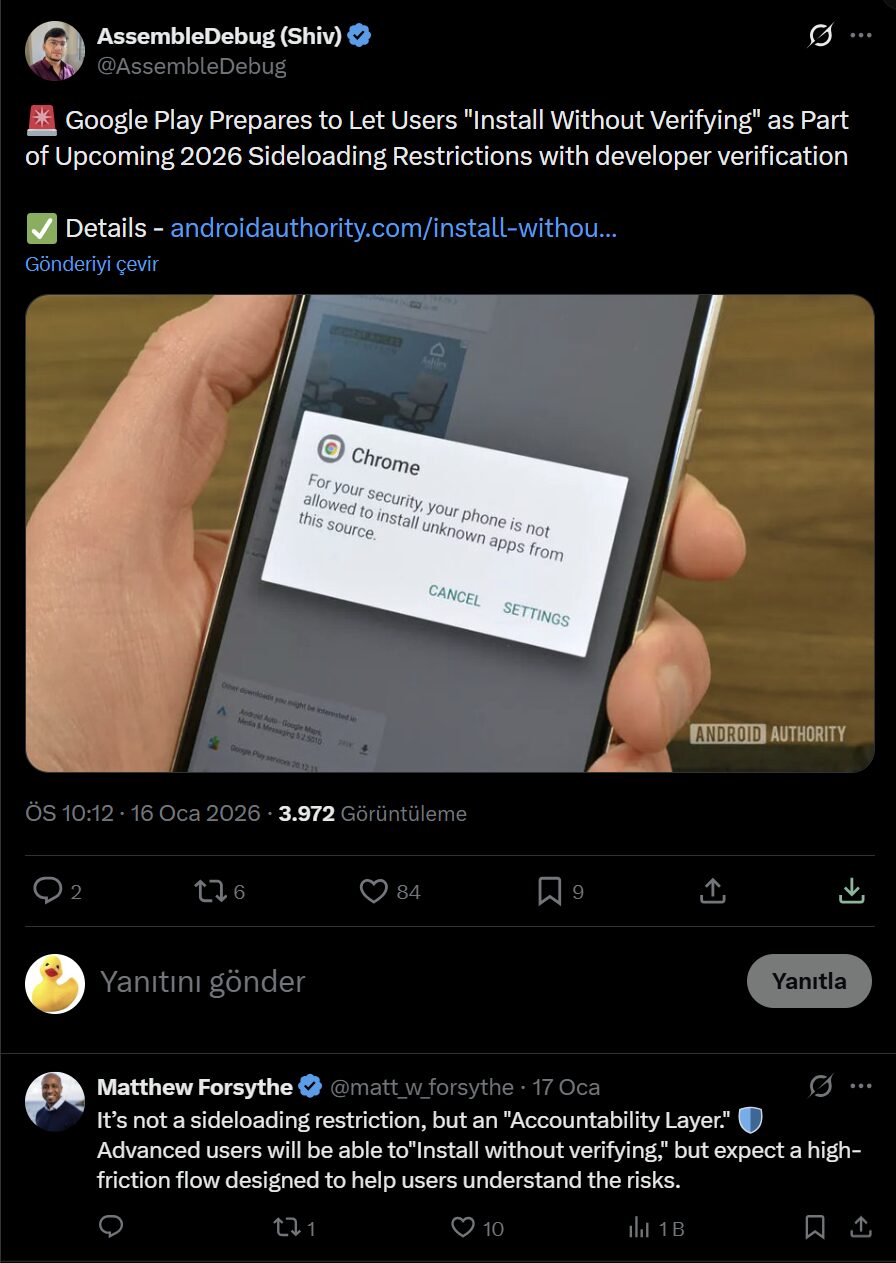
Matthew Forsyth, a Google Play Director, has clarified in a post on X (formerly Twitter) that new code strings discovered in the Play Store are in fact part of a new approach. This new approach is not a limitation but a “layer of responsibility.” The idea is to make users pause in their actions. Google is trying to ensure that if you install an unverified app, you are installing it after being completely aware of all the risks involved in terms of your security.
How This Affects Your Experience
Power users will see this as a speed bump. Google made it clear that power users are still able to “skip verification and install directly.” However, the days of a simple “one-click install” for sideloading may be numbered. You can expect to encounter obligatory warning screens about a lack of developer approval and malware concerns before you can move forward.
Note: At the moment, the PC or additional software is not required by Google to sideload. The whole process is software-based in nature.
Since this is a change that makes it more complex for you to handle third-party APKs, it is important for you to have a tool for handling the system at your disposal.
What’s Next?
Whether this ‘high resistance’ strategy will prove annoying enough to dissuade modders is yet to be seen. Here’s hoping that it will remain a means of educating people on risks rather than a deterrent to the openness that Android is all about. Keep an eye on your Play Store updates. When you notice that you’re seeing multiple confirmation dialogs for installing an APK, then the new mode has probably hit your device.



Poco F4 5g Support Android 14 update 15 please Game Lag Again 😭
It seems like Google always introduces policies that make Android uncomfortable… 😥🧐
if this happens I’m immediately gonna root my device and uninstall Google