


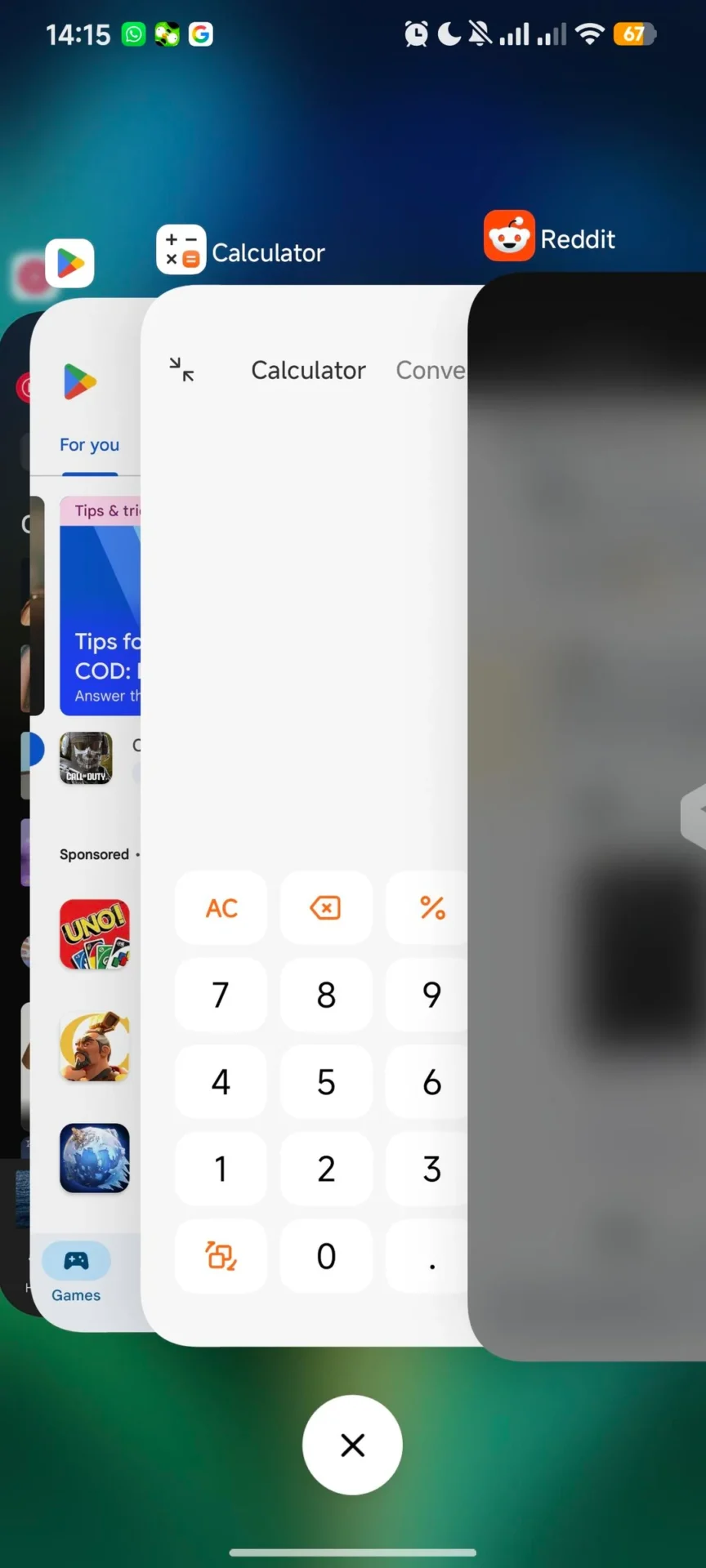
The long-awaited iOS-style recent apps layout, first released in the Chinese version of HyperOS 3.1, has finally arrived on the POCO Launcher via a new update.
If you have been waiting for that smooth, stacked card animation, the wait is over. Here is everything you need to know about the update and how to force-enable it if you don’t see the option yet.
The Update Details
The feature is rolling out with the latest POCO Launcher version.
-
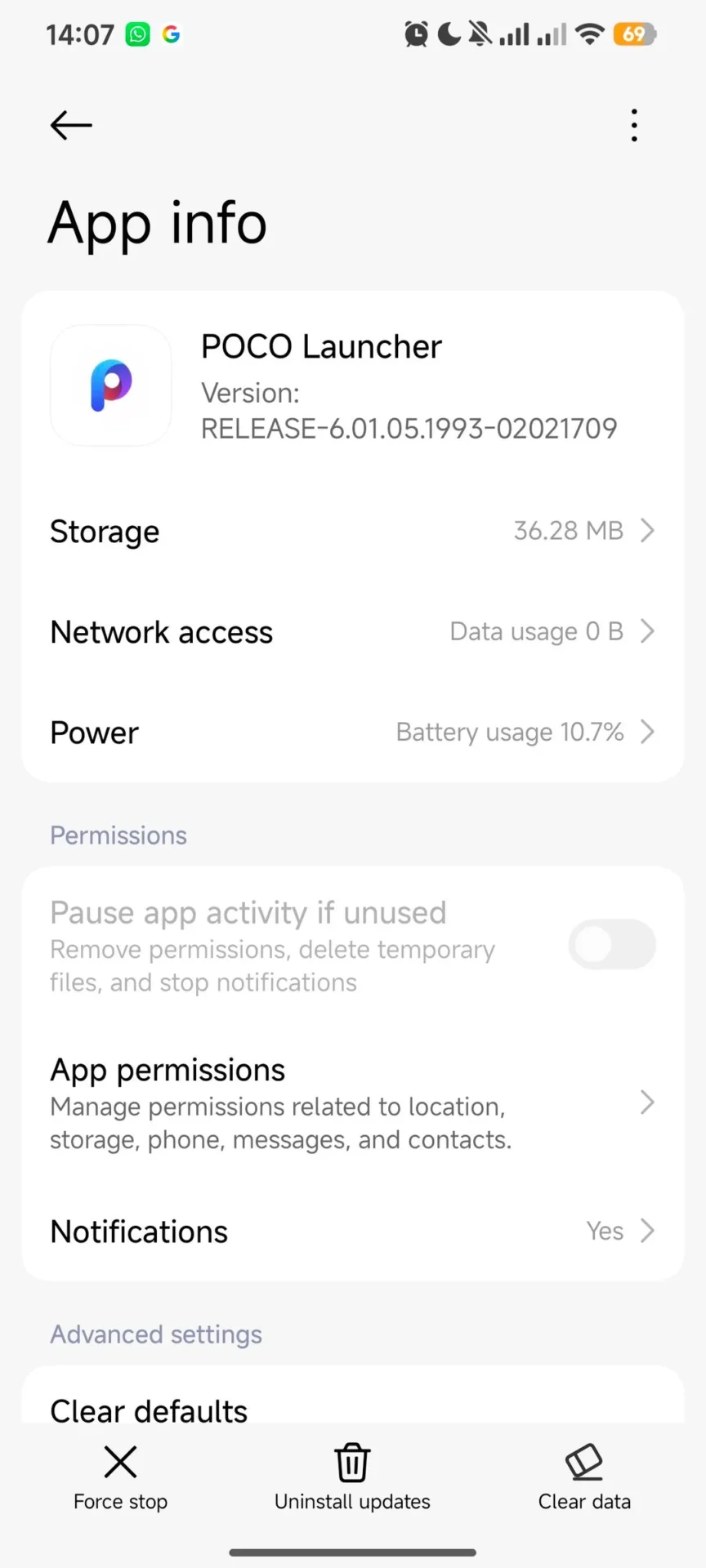
Version:
RELEASE-6.01.05.1993-02021709 -
New Feature: iOS-style multitasking (Recent Apps) layout.
How to Enable It (No Root Required)
If you have installed the update but still don’t see the new style in your settings, you can manually force it using a simple command. This method does not require root access; you only need ADB (Android Debug Bridge) or a local terminal app like LADB.
The Command:
settings put global task_stack_view_layout_style 2
-
Value
2: Activates the iOS-style “stacked” card layout. -
Result: The interface will instantly transition to the new layout. A reboot is recommended to ensure animations are smooth.

Step-by-Step Guide: Using LADB (Phone-Only Method)
If you don’t have a PC, you can use the LADB app to run this command directly on your phone.
Prerequisites:
-
Go to Settings > About Phone and tap HyperOS Version multiple times to enable Developer Options.
-
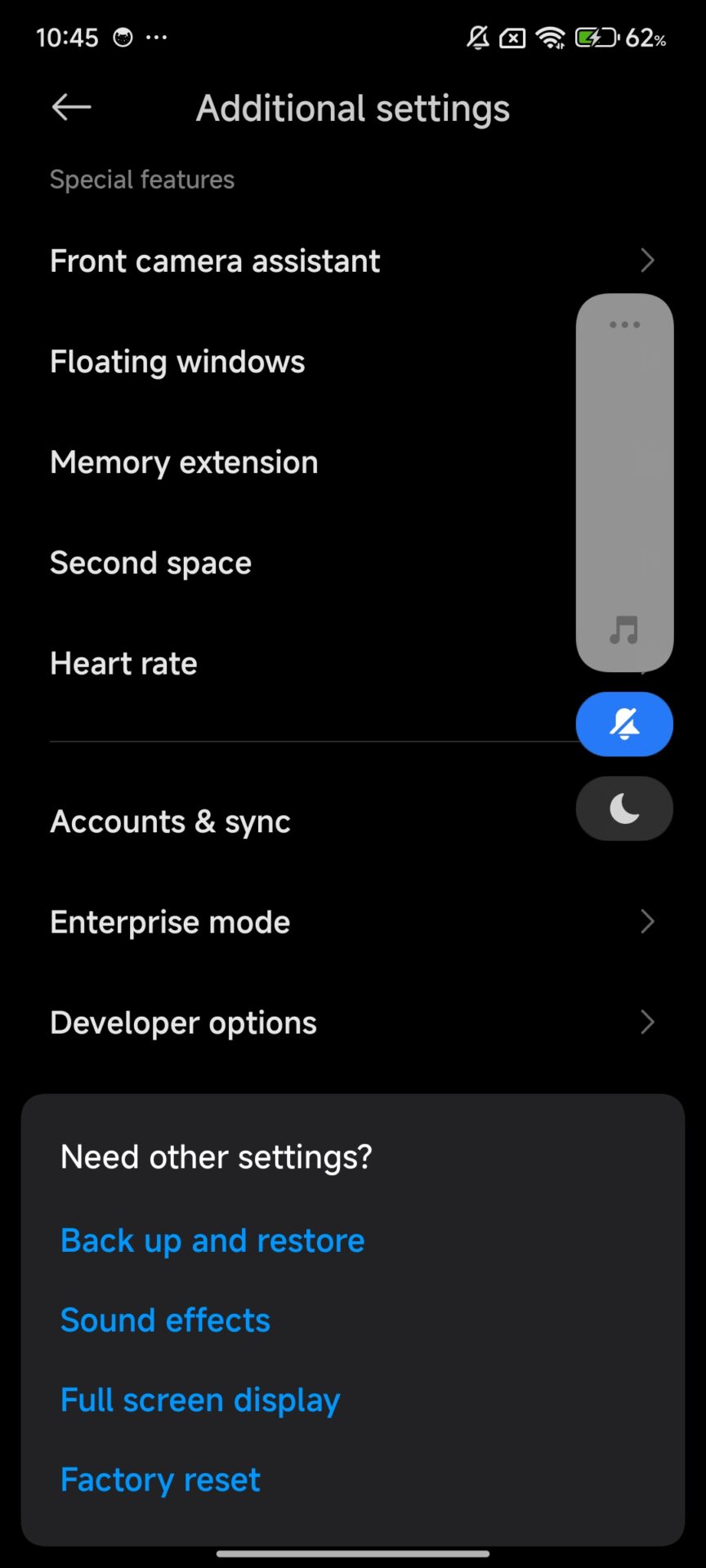
Go to Settings > Additional Settings > Developer Options.
-
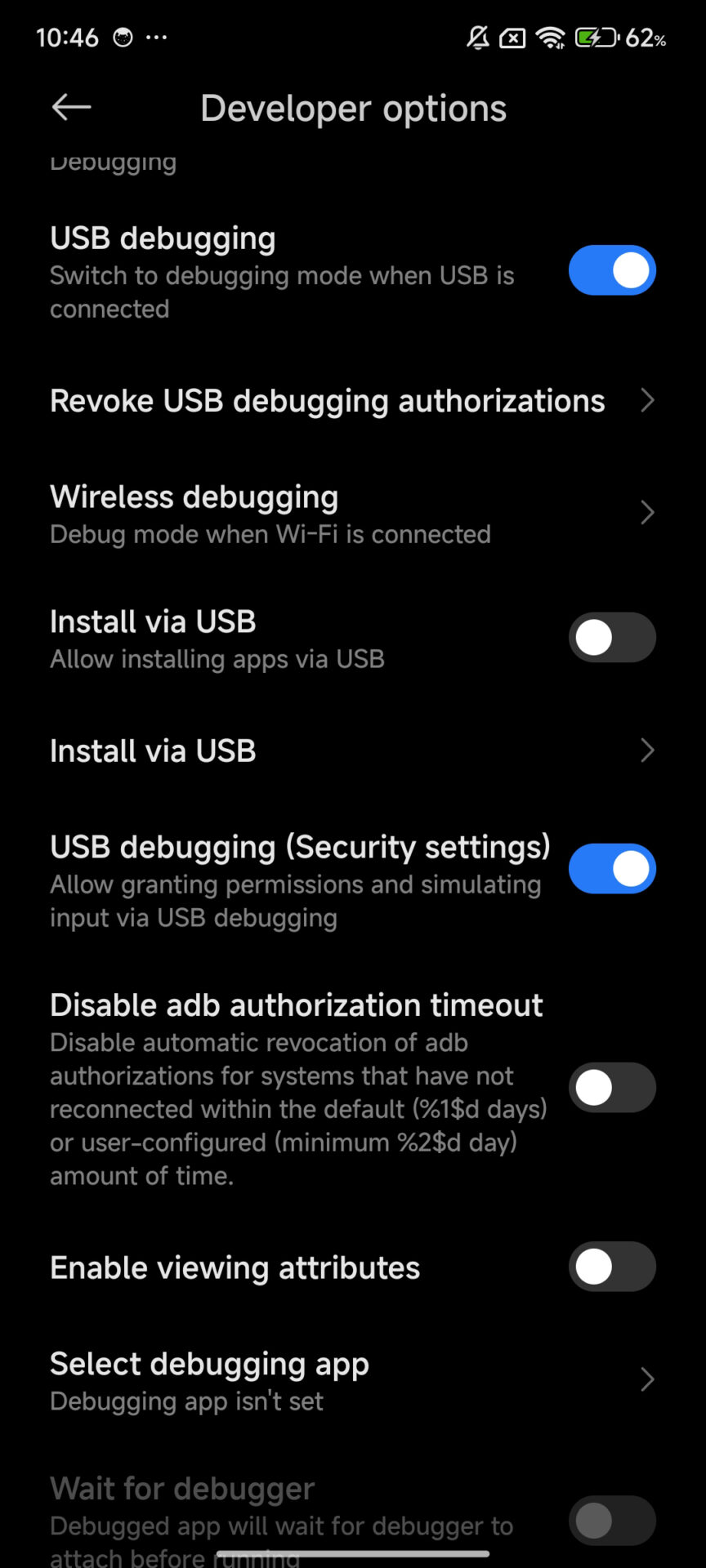
Enable these three toggles:
-
USB Debugging
-
Install via USB
-
USB Debugging (Security Settings)
-
Pairing LADB:
-
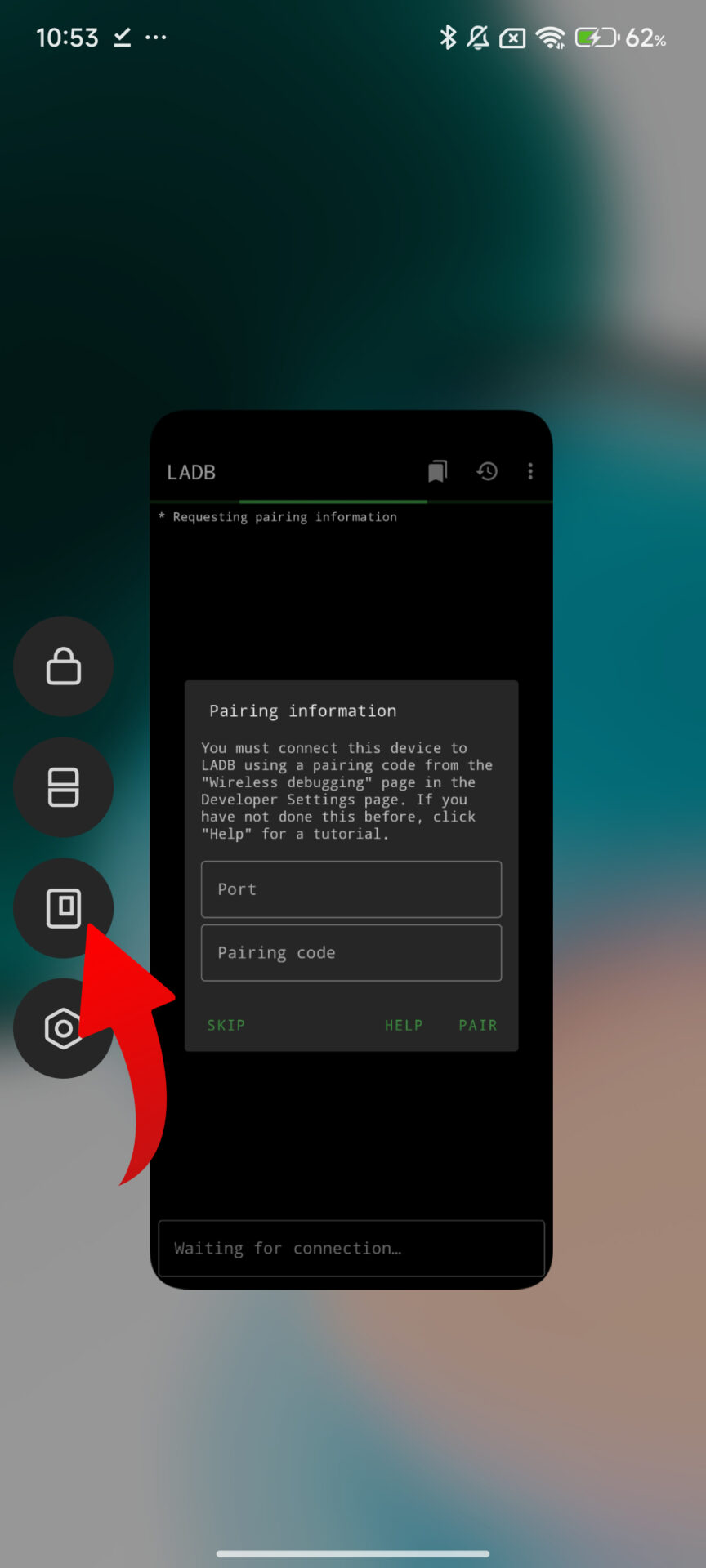
Open LADB in a split-screen or floating window.
-
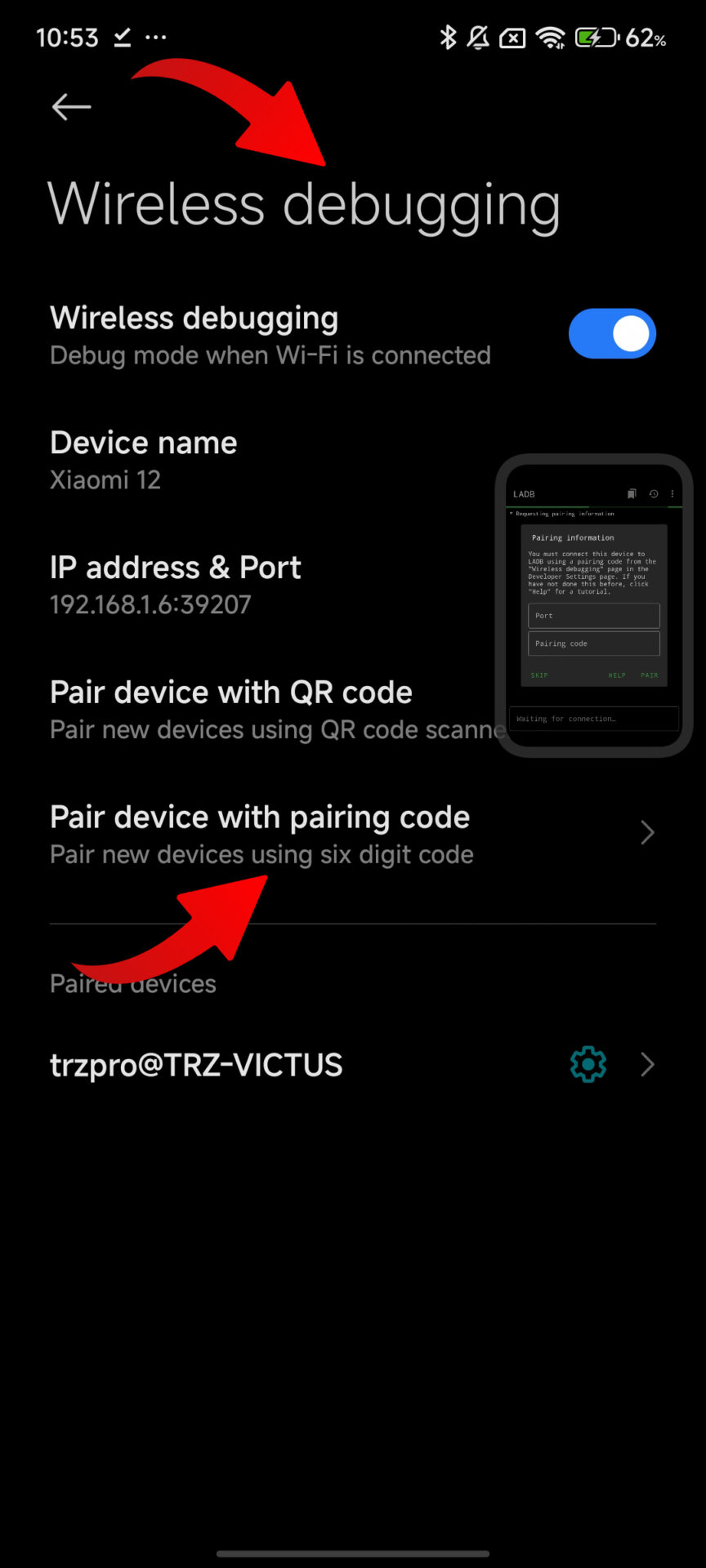
Go to Developer Options > Wireless Debugging.
-
Tap “Pair device with pairing code”.
-
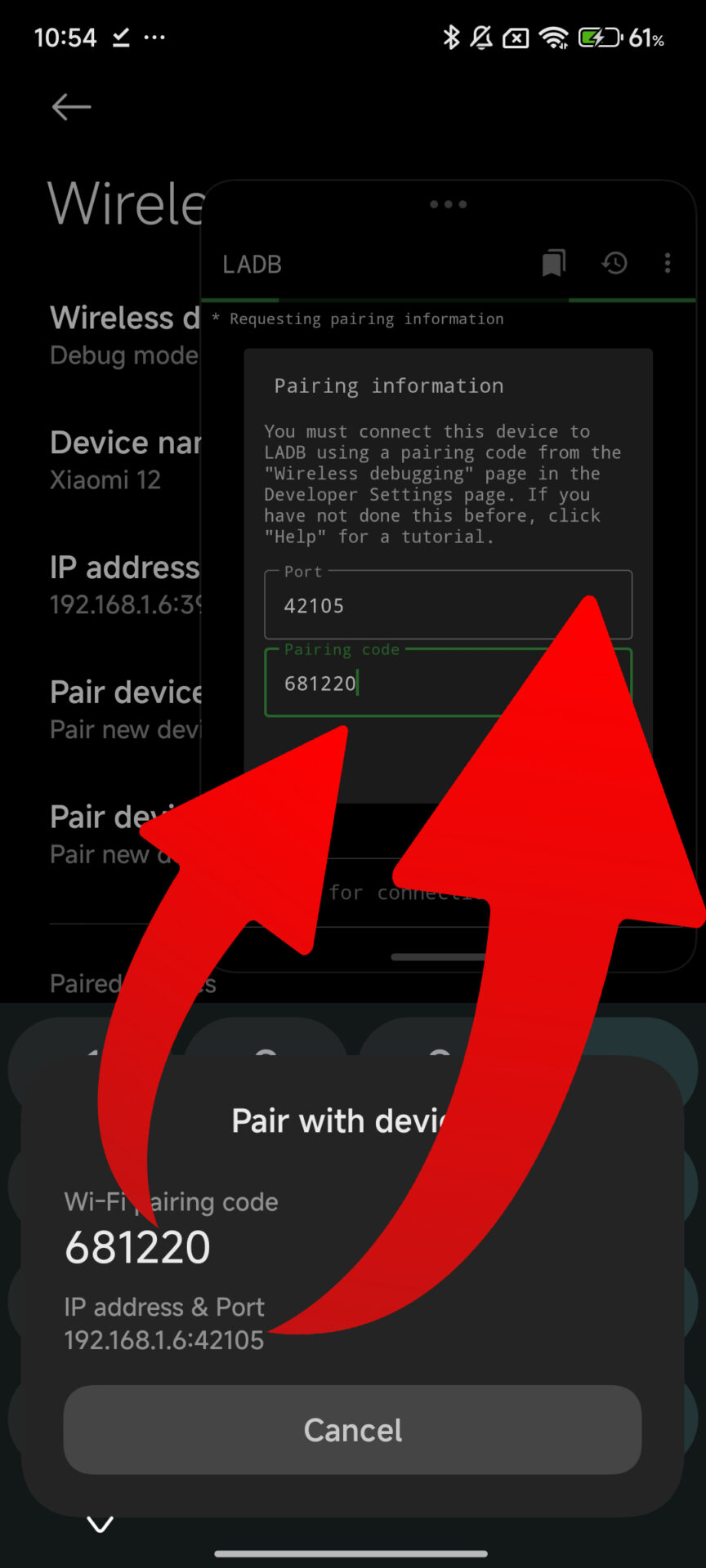
Enter the IP address, Port, and Pairing Code into LADB.
-
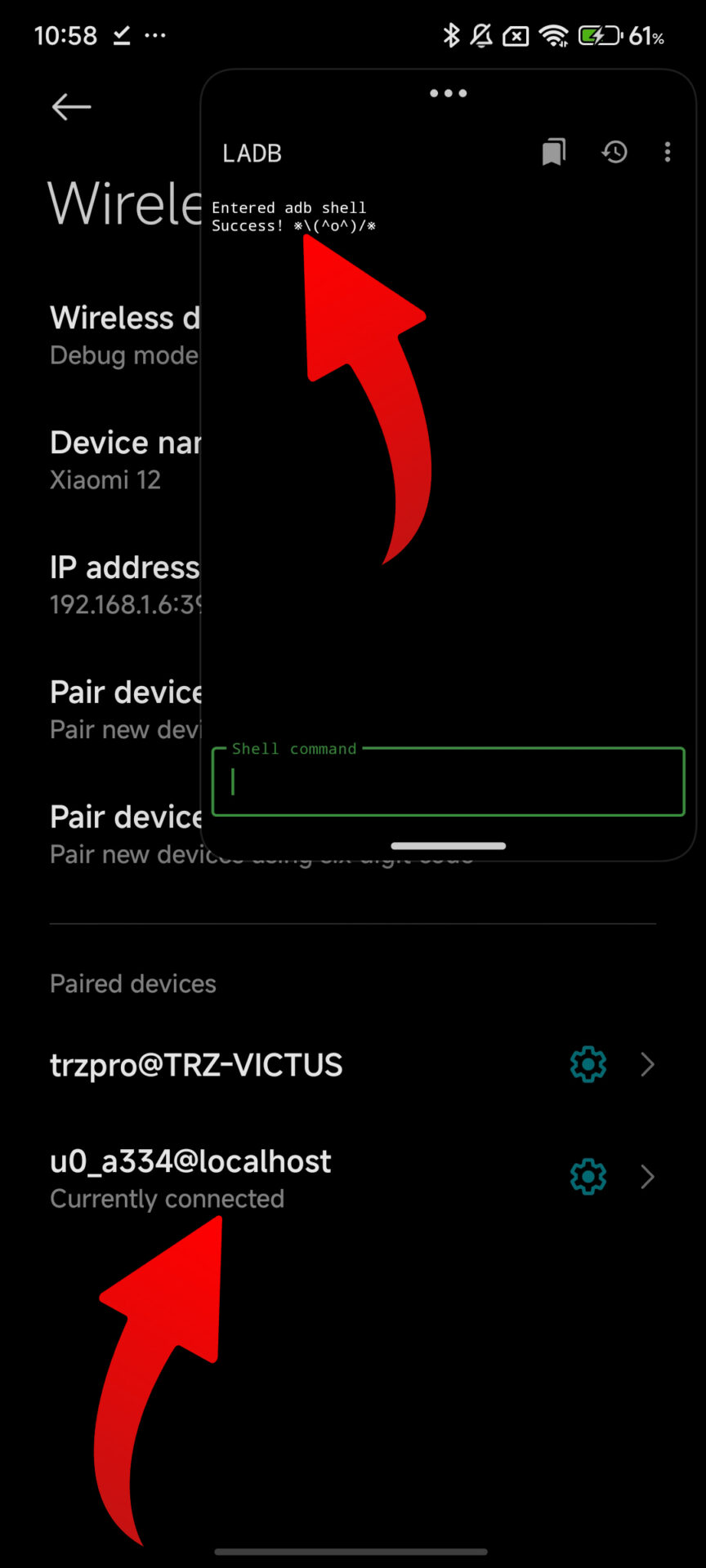
Once connected, type the command above and hit enter.
Download POCO Launcher iOS recent apps
To get this feature, you need the latest launcher APK. You can download it manually or use the enhancer app.
-
APK Download: Get POCO Launcher via HyperOSUpdates
-
Easy Way: Download via the MemeOS Enhancer app on the Play Store.




If we wanted an iPhone we would got an iPhone……. Stop copying apple. I hate IOS that’s why I have an android phone!
Xiaomi is the slowest company in updates 🥴😮💨
Xiaomi is the slowest company in updates 🥴😮💨
Xiaomi is the slowest company in updates 🥴😮💨
Wow thanks, that really worked on my poco M7 PRO 5G GLOBAL 😍😍STILL ON HYPER OS 2 THOUGH
Koffijeanjacques Kouakou what are you talking about here🤡 look at oxygen, or oneUi they have updates once every 3 months (for flagship smartphones) and I won’t even mention other shells
It doesn’t work on the Poco c75.
thanks it’s working in my poco x6 pro
Not working on Poco F7 HyperOS 3.0.6
It doesn’t work anonymously, why x7 pro
It doesn’t work anonymously, why x7 pro
The command can simply be entered via adb shell
it’s working on poco F5, thanks bro
on poco m6 pro with hyper os 3 does not work
Not working on Poco F8 Pro HyperOS 3.0.6
Not working on Poco F8 Pro with HyperOS
poco m6 pro 5G update New other AI Android 16 and update New other AI Hyperos Rom OS version 3.0.6.0 update available today ser
Hello, when will the new update for Redmi Note 14 come after version 3.0.4 that was rolled out? It’s been two months now, they keep saying soon but it hasn’t arrived yet.
Hello, when will the new update for Redmi Note 14 come after version 3.0.4 that was rolled out? It’s been two months now, they keep saying soon but it hasn’t arrived yet.