


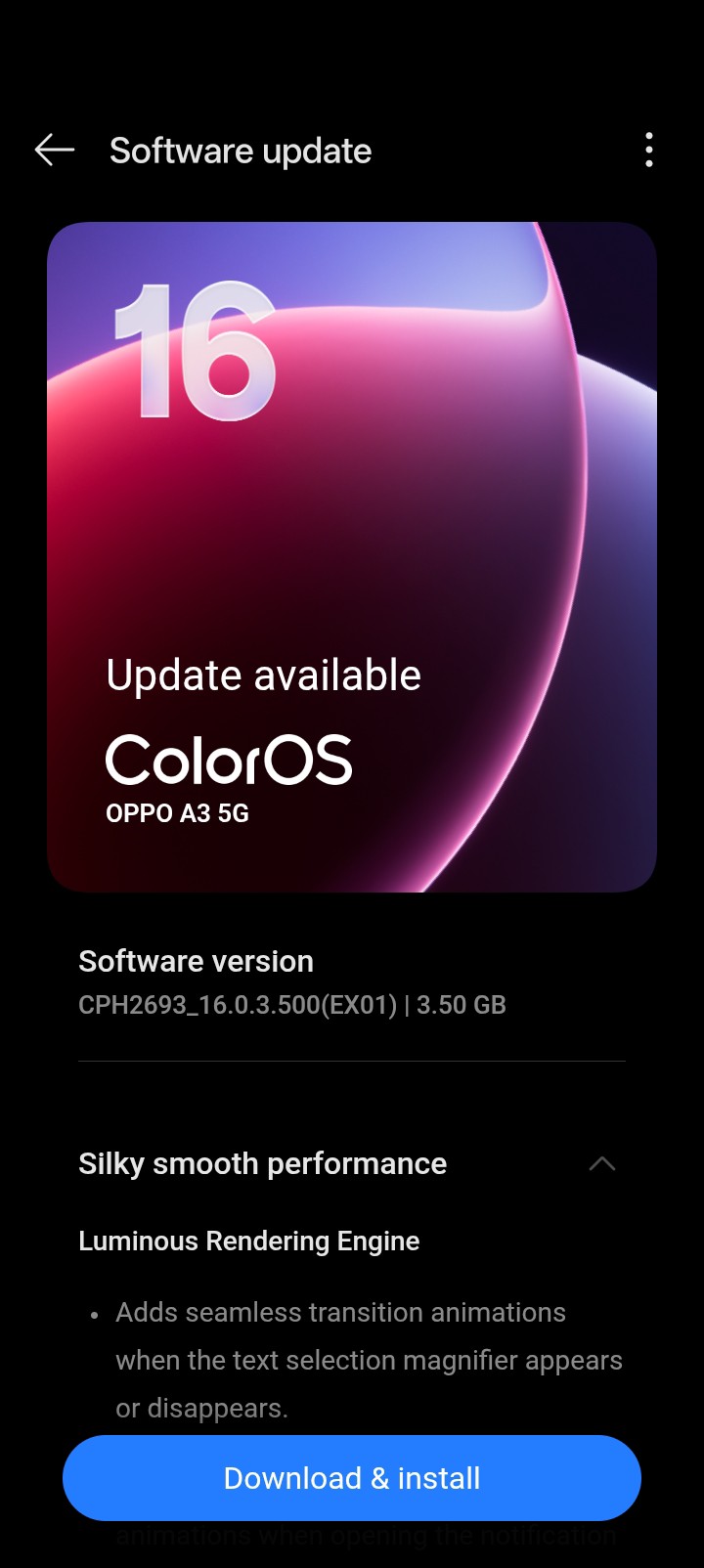
OPPO has begun rolling out the stable Android 16-based ColorOS 16 update to eligible devices, and the latest to join the list is the OPPO A3 5G. While the company is yet to publish a full rollout roadmap for its A-series lineup, early reports confirm that the update is already reaching select users.
Limited Rollout for Beta Testers
The update is currently being pushed in phases, with availability restricted to beta testers in select regions, including India. This staged rollout is typical for major software upgrades, allowing OPPO to monitor stability before expanding to a wider audience.
Users who are not part of the initial rollout can still participate by enrolling in the beta program through the system update settings.
Update Details and Installation Tips
The Android 16-based ColorOS 16 update for the OPPO A3 5G carries the firmware version CPH2693_16.0.3.500(EX01) and comes with a sizable package of approximately 3.90GB. Due to its size, users are advised to download and install the update over a stable Wi-Fi connection.
Before proceeding, it is recommended to:
- Ensure the device has at least 50% battery
- Back up important data to avoid any potential loss during installation

Features and Missing Elements
ColorOS 16 introduces a range of improvements, particularly in system performance and animation smoothness. Users report a more fluid experience overall, which enhances daily usability on the device.
However, early adopters have noticed the absence of certain features, including live updates and some AI-powered functionalities such as motion wallpapers. This is likely due to hardware limitations, as these features tend to be resource-intensive and may not be optimized for budget-oriented smartphones like the OPPO A3 5G.
Should You Install the Update?
Despite a few missing features, the update still delivers meaningful improvements in performance and system optimization. If you have access to the beta release, it is worth installing for a smoother and more refined user experience.
How to Check and Install the Update
To check for the update manually, head to:
Settings > System & Update > Software Update
If the update is not yet available, you can join the beta program by navigating to:
Settings > System Update > Software Update > Tap the top banner > Tap the top-right icon > Beta Program > Release Candidate > Apply Now
Once approved, return to the update page to download and install the new software.


