
 Emir Bardakçı
Xiaomi has released an stable update for the HyperOS 3.1 Launcher, version 6.01.05.1999-02091122. This build is a critical hotfix specifically engineered for the all HyperOS devices Android 14 and above. It addresses UI regressions and enables the sustained use of the “Stacked Layout” multitasking view.
This update for the HyperOS 3.1 Launcher significantly improves user experience and functionality.
Stacked Layout Persistence
The primary function of this update is to restore and stabilize the “iOS-style” Stacked recent apps menu. Previous firmware iterations within the .300 build branch experienced regressions where this layout was disabled or rendered incorrectly. This APK strictly enforces the availability of the Stacked view for supported devices. With the new HyperOS 3.1 Launcher, users can enjoy enhanced multitasking capabilities.


API Architecture
Latest HyperOS 3.1 launcher is compiled with Target API 35 (Android 15), ensuring full compatibility with the forthcoming HyperOS 3.1 kernel structures. However, the minSdk is set to API 34 (Android 14). This allows for backward compatibility with existing HyperOS 2 devices, provided they meet the hardware prerequisites. So, HyperOS 3.1 launcher can be installed on Android 14 and above. This ensures that the HyperOS 3.1 Launcher is ready for future updates and improvements.
Logic Correction & Optimization
February 27, 2026 release serves as a maintenance patch, resolving high-severity bugs related to gesture navigation fluidity and task switching animations. The code includes optimizations for memory management within the recents view to prevent UI stutters during rapid scrolling. The HyperOS 3.1 Launcher also brings several performance enhancements and new features.
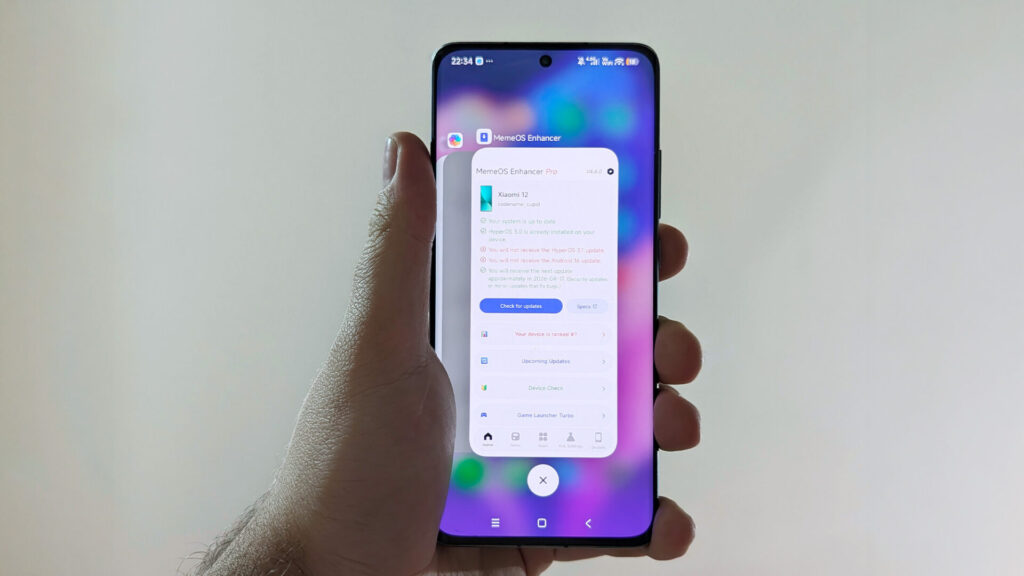
Users can get the latest HyperOS 3.1 Launcher APK version via the MemeOS Enhancer application. If you have a POCO device and want to access the latest updates for the HyperOS 3.1 Launcher, you can read our POCO Launcher update article to get iOS style recent apps on your devices.

hello xiaomi team the hyper os is so amazing that the new features and performance but home screen layout please 5×6 add now please request to layout and fingerprint animation old add please
When is Hyper OS3, admin?
Xiaomi should tell everyone all about the abandoned launcher they are using on new Redmi A devices. all just because it’s budget, is the excuse they’ll make. an abandoned launcher . on a new product.
When will hyper os3 be released in Philippines for redmi note 14 5g?
when the hyperOS3 release is POCOF5 pro? global?
my redmi note 13 pro plus 5g has been on hyperOs 2.0.1.0 since and does not accept the Indian version update
my redmi note 13 pro plus 5g has been on hyperOs 2.0.1.0 since and does not accept updating to the Indian version
When will hyperOS 3 be available for those of us who have version 2.0206.0?
When will the Xiaomi 14t pro for cell phones arrive in Chile? I am with the Entel company.
My question is about unifying the launcher for Xiaomi so that it’s all the same.
I have the Redmi 14c and today I can say that this update has arrived
I have the Redmi 14c and today I can say that this update has arrived
Don’t buy redmi /xiaomi product anymore as they have capped the gaming refresh limit to 60hz. 120hz not working. Game booster unlock need money on monthly subscription payment. You need to buy features for operating handset. Just buy avibo/oppo or else but don’t buy redmi/xiomi or realme mobiles also. Bad experience with me.
redmi note 13 pro+ 5g wnoeuxm 3.0.4.0, I installed that Launcher but recent apps like iOS. are not there… why?
Recent apps like iOS on Redmi Note 13 Pro+5G are not there. Why?
When it will be available for poco devices ?
When it will be available for poco devices ?
I have a Redmi Note 14 Pro 5G and I already have the new Lauchar version installed, but it still doesn’t work.
Hello Xiaomi service, why is the Redmi Note 13 Pro 5G not getting the 3.0 update? It needs the update badly, but it is not happening yet. Please provide the 3.0 update for this as well. Thank you, sir.
It is not true. On wnoeuxm 3.04.0 the arrangement of recent apps does not work like iOS.
It is not true. On wnoeuxm 3.04.0 the arrangement of recent apps does not work like iOS.
Hello, when will you Xiaomi launch HyperOS 3 for Poco X6 Pro MIXM that you promised in December and it’s been 2 months and you haven’t fulfilled? This way you will lose many customers
Hello, when will you Xiaomi launch HyperOS 3 for Poco X6 Pro MIXM that you promised in December and it’s been 2 months and you haven’t fulfilled? This way you will lose many customers
Hello, when will you Xiaomi launch HyperOS 3 for Poco X6 Pro MIXM that you promised in December and it’s been 2 months and you haven’t fulfilled? This way you will lose many customers
Hello, when will you Xiaomi launch HyperOS 3 for Poco X6 Pro MIXM that you promised in December and it’s been 2 months and you haven’t fulfilled? This way you will lose many customers
redmi note 13 pro not updated
Hello Xiaomi, why haven’t you released HyperOS 3 for Poco X6 Pro? The users of this phone have been waiting since December and your update hasn’t arrived. Many of us are waiting and there are no signs of the update.
Hello Xiaomi, why haven’t you released HyperOS 3 for Poco X6 Pro? The users of this phone have been waiting since December and your update hasn’t arrived. Many of us are waiting and there are no signs of the update.
Hello Xiaomi, why haven’t you released HyperOS 3 for Poco X6 Pro? The users of this phone have been waiting since December and your update hasn’t arrived. Many of us are waiting and there are no signs of the update.
when HyperOS 3.0 for the poco x6 pro
Hello Xiaomi, why haven’t you released HyperOS 3 for Note 13? The users of this phone have been waiting since October and your update hasn’t arrived. Many of us are waiting and there are no signs of the update.
Xiaomi Note 13 update hasn’t arrived. I am waiting for the update since October 2025.
When will Redmi 15c Indonesia get Hyper OS3?
Xiaomi 15 Ultra I still haven’t received HyperOS 3 🤷
Xiaomi 15 Ultra I still haven’t received HyperOS 3 🤷 it should already arrive on my phone
Xiaomi 15 Ultra I still haven’t received HyperOS 3 🤷 it should already arrive on my phone
still waiting for hyperos 3 in my poco X6 pro…
still waiting for hyperos 3 in my poco X6 PRO… how long I have to wait…
When will Poco F5 be available 😥
Hello, esteemed Xiaomi team. I have a Redmi Note 13 Pro Plus and I can’t install the HyperOS 3 update. When I go to settings, it says that a fake app is installed on the phone. I can’t download the update. Please help me solve this problem.
Hello, esteemed Xiaomi team. I have a Redmi Note 13 Pro Plus and I can’t install the HyperOS 3 update. When I go to settings, it says that a fake app is installed on the phone. I can’t download the update. Please help me solve this problem.
When will the Rdmi Note 15 Pro + 5G HyperOS 3 update be released?
When will the Rdmi Note 15 Pro + 5G HyperOS 3 update be released?
When will the Rdmi Note 15 Pro + 5G HyperOS 3 update be released?
When will the Rdmi Note 15 Pro + 5G HyperOS 3 update be released?
Please, when will HyperOS 3.0 or 3.1 arrive for Poco X6 Pro 5G?
Please, when will HyperOS 3.0 or 3.1 arrive for Poco X6 Pro 5G Venezuela?
Please, when will HyperOS 3.0 or 3.1 arrive for Poco X6 Pro 5G Venezuela?
When will the Rdmi Note 15 Pro + 5G HyperOS 3 global update be released?
When will the Rdmi Note 15 Pro + 5G HyperOS 3 global update be released?
it’s not true, the recent iOS styles are not there
Why is the multi-tasking taskbar not active on Redmi Note 13 Pro 4G?
Why is the multi-tasking taskbar not active on Redmi Note 13 Pro 4G?
They should put widgets on the lock screen and also have the themes affect the status bar and have the entire bar look like the iPhone and also have the iPhone keyboard and also the calls application is not updated.
I I updated my Redmi 14C with hyperOS 3.0.6 and didn’t see any difference. Not even the tabbed design.
does not work
does not work
one of the things MI should update on their phones is the MUSIC FX, the present one is actually whacked… I hope & trust they can do better
one of the things MI should update on their phones is the MUSIC FX, the present one is actually whacked… I hope & trust they can do better
Hello, I’m having trouble updating the system. It says “This update log cannot be updated and please ensure it has the appropriate permissions.” My phone is a Redmi 15c and the ROM is original. Does this delay in updates depend on the country? (I’m from Sudan.)
It’s not true, with wnoeuxm 3.0.4.0 it still doesn’t work! redmi note 14 pro+ 5g
HyperOS 3 updates