


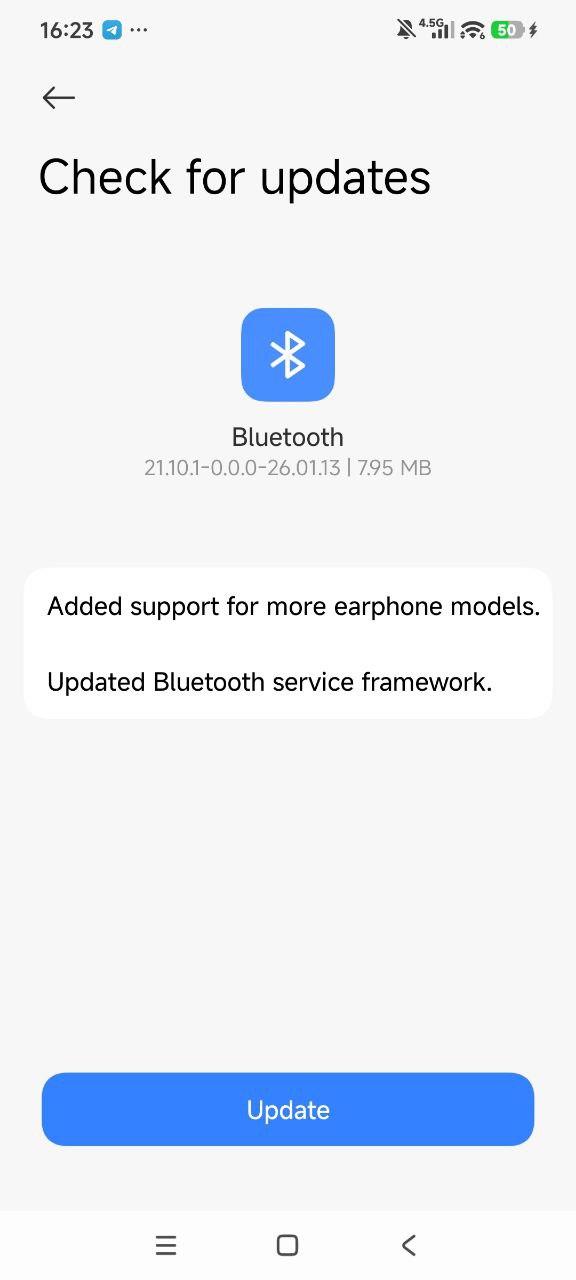
Xiaomi has released a new Bluetooth update (version 21.10.1-0.0.0-26.01.13) for all Xiaomi devices. This new update is 7.95MB in size. It can be updated within 30 seconds from the Bluetooth section in Settings. Installation is quick and does not require a restart.
What is new on Bluetooth update
There are two new features included with the February 2026 Bluetooth update. Although Xiaomi lists the same items in the changelog for all Bluetooth updates, the only known change log is as follows.
- Added support for more earphone models.
- Updated Bluetooth service network.
How to Install the Update
Installing this Bluetooth update can be completed in just a few simple steps. Users should ensure their device is connected to WiFi before beginning the update process.
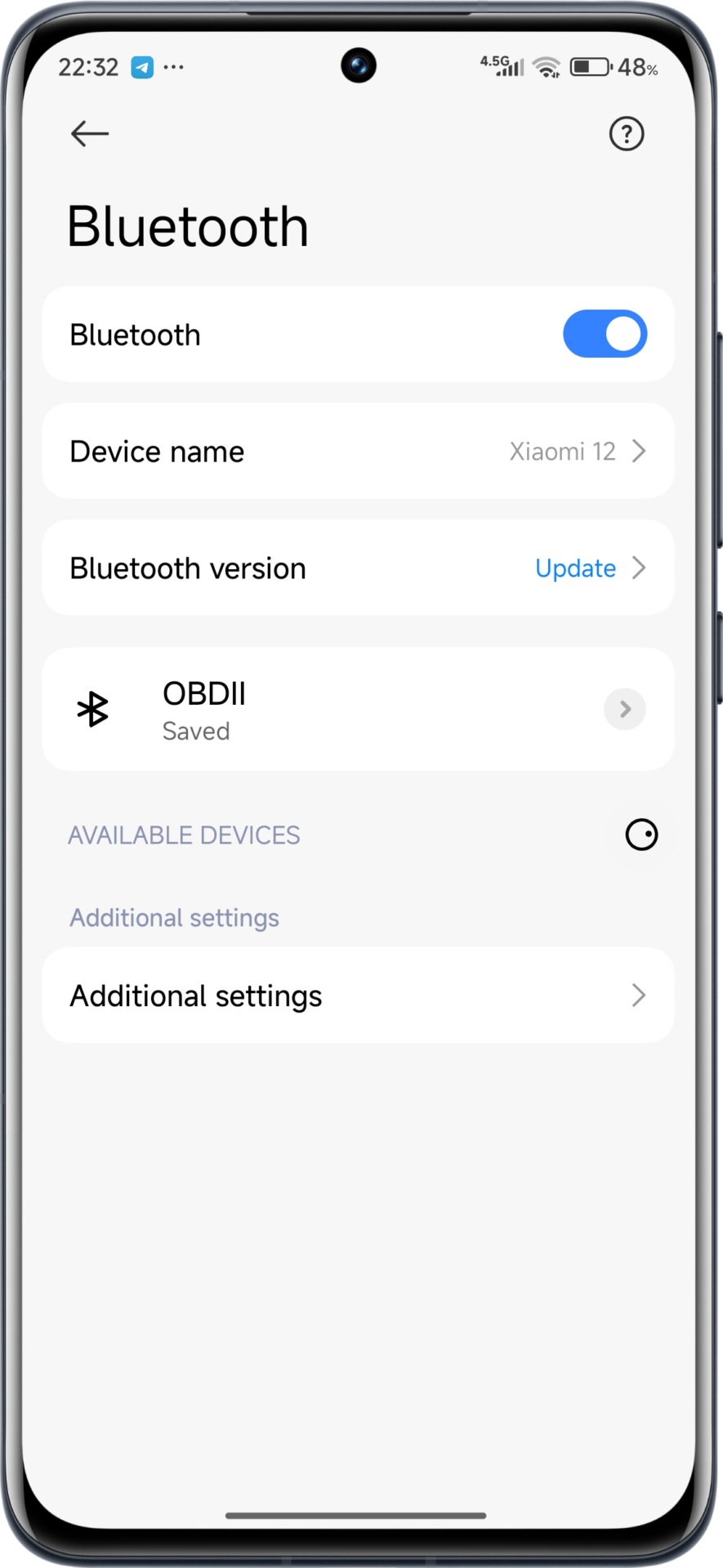
You can install the Bluetooth update on your phone by following the steps below.
- Settings
- Bluetooth settings
- Updates
- Download and install
Device Compatibility and Availability
This Bluetooth update is rolling out globally to all compatible Xiaomi devices running HyperOS and MIUI. The update process may take several seconds depending on your internet connection speed and device performance capabilities.



There is no option called Bluetooth settings.
You also previously made a false report about ‘battery firmware’ which was only available on Chinese devices.
Please do your job more carefully.
Good News. Tnx.
facebook
Xiaomi Redmi Note 14 pro plus 5g
Open Settings app on your Xiaomi device
Navigate to Bluetooth settings
Look for the Updates section
Download and install version 21.10.1-25.04.10-25.05.09
No Update section found.
only when the update is available on your device will it allow you to update. it’s just being rolled out. Wait for it to be available on your device.
not for Xiaomi 14
este los fin de semana bebé!
en Xiaomi 15, tampoco hay actualización.
There is no such Bluetooth update function in the Bluetooth settings on 12 Lite.
But there is no update option in Xiaomi 11 lite 5G NE (lisa) indian variant
There is no such Bluetooth update
The Bluetooth Update will show as a blue Button “Update” that replaces your Device Name on the left side in the Bluetooth Settings when available. Did 3 already in the past. If no update is available, your device BL name will be shown as normal.
More battery drain and more disconnection on redmi buds 6 pro and poco f6 pro after this update!
Poco F3, Poco F6, there is no separate update option. The Poco F3 does not update Bluetooth at all. Poco F6 regularly disconnects from mobile data and Wi-Fi.
But there is no such thing as you describe, Bluetooth settings and update. Do your work more correctly.
But there is no such thing as Bluetooth settings and update as you describe. Do your work more correctly.
but there is no such thing as you describe Bluetooth settings and update. Do the work more correctly
I updated it on my 15 Ultra a few days ago.
It’s crazy the steps provided can’t be phone in any Xiaomi device
I can confirm that there is actually a new Bluetooth version to update I don’t know why is all the talk about. Go to phone settings, Bluetooth and it will immediately show you a new update. That simple.
Poco F7 Ultra
Redmi note 13 ready
Look at the face he makes when taking the profile picture!!
Look at his face when taking the profile picture!!
Look at the face it makes when taking the profile picture!!