
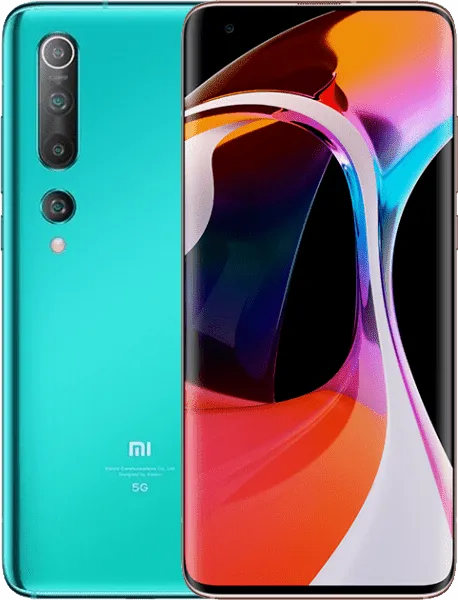
Xiaomi Mi 10 | V12.5.6.0.RJBEUXM ROM Download
Changelog
- MIUI12.5 Enhanced:
- Swift performance. More life between the charges.
- Focused algorithms: Our new algorithms will dynamically allocate system resources based on specific scenes, ensuring smooth experience on all models.
- Atomized memory: Ultra-fine memory management mechanism will make RAM usage more efficient.
- Liquid storage: New sensitive storage mechanisms will keep your system vibrant and responsive as time goes by.
- Smart balance: Core system improvements allow your device to make the best of the flagship hardware specs.
- Lock screen:
- New: New fingerprint options
- Optimization: App vault memory usage when device is locked
- Fix: Fingerprint unlock animation kept playing after the device was unlocked
- Fix: Screen flashed after locking when Super wallpapers were used
- Fix: Wallpapers flashed when Fingerprint unlock was used in some cases
- Fix: Issues in the Settings deactivated Fingerprint unlock in some cases
- Fix: Fingerprint unlock animation led to crashes
- Fix: Fingerprint icon didn't appear or was displayed incorrectly when the screen was turned off in landscape mode
- Fix: Display abnormalities occurred when Fingerprint unlock was used with games
- Fix: Issues with the fingerprint animation in several scenes
- Fix: Fingerprint and Face unlock were turned off after a SIM card was installed
- Fix: The screen went black, device was locked, and Lock screen wallpaper was replaced with Home screen wallpaper after Fingerprint unlock was used
- Fix: Issues with Fingerprint unlock vibration
- Fix: The screen flashed when Fingerprint unlock was used with Super wallpapers in some cases
- Fix: Using fingerprints in some apps locked the device
- Fix: "Raise to wake" turned off unexpectedly in some cases
- Fix: Lock screen notifications didn't disappear on time when Fingerprint or Face unlock was used in some cases
- Fix: Fingerprint icon didn't disappear after the device was unlocked
- Fix: Fingerprint icon didn't disappear after the device was unlocked
- Fix: Lock screen went transparent after Fingerprint unlock was used in some cases
- Fix: Screen flashed when Fingerprint unlock was used in some cases
- Fix: No items except for the status bar were shown on the screen after using Fingerprint unlock
- Fix: Issues with the Lock screen clock when third party themes and super wallpapers were used
- Fix: Memory usage issues when charging animation was displayed
- Fix: Wallpapers flashed when Fingerprint unlock was being used which didn't allow to unlock the device
- Fix: Device was locked again after successful Fingerprint unlock attempts
- Fix: Using Face unlock and Fingerprint unlock simultaneously led to crashes in some cases
- Fix: Lock screen notifications disappeared after an ended call
- Fix: Lock screen items weren't displayed when super wallpapers and themes were combined
- Fix: A flashing black line appeared when Fingerprint unlock was used
- Status bar, Notification shade:
- Optimization: Algorithms for displaying incoming call notifications
- Optimization: Third party theme compatibility for Notification shade
- Optimization: Dark mode adjustments for notifications
- Fix: Floating notifications overlapped when the transparent background was used
- Fix: Permission dialog elements overlapped after a notification was long pressed
- Fix: Notifications weren't displayed correctly when App lock was used
- Fix: Cleaner animations weren't displayed correctly
- Fix: Notification shade couldn't be opened in some cases
- Fix: Notifications weren't displayed correctly after missed calls
- Fix: Issues with permissions after missed calls
- Fix: Floating notifications flashed when Second space was used
- Fix: Player controls weren't always displayed in the Notification shade
- Fix: Notification badges didn't always appear
- Fix: Backgrounds weren't displayed correctly when notifications arrived and third party themes were used
- Fix: Notifications weren't always displayed correctly when "Raise to wake" was used
- Fix: Buttons weren't always displayed correctly on the notifications when Dark mode was on
- Themes:
- Fix: Wallpapers flashed while device was being unlocked in some cases
- Fix: Wallpaper services crashed in some cases
- Fix: Some wallpaper previews weren't displayed correctly
- Fix: he screen flashed while Fingerprint unlock was being used
- Fix: Wallpapers stayed dark after Dark mode was turned off in some cases
- Fix: Home screen background went black after Ultra battery saver was turned off
- Fix: Incorrect voice prompts for downloading super wallpapers in Accessibility mode
- Fix: Text truncation issues for super wallpapers
- Fix: UI elements overlapped in the super wallpaper settings
- Fix: Navigation buttons weren't displayed correctly in the super wallpaper settings
- Fix: Wallpapers from First space were also applied in Second space when Battery saver was on
- Fix: Wallpapers weren't displayed correctly in Second space
- Fix: When system font size was set to large, super wallpaper descriptions overlapped during the setup process
Download Recovery ROM
Fastboot ROM N/A
Recovery ROM
Download MIUI V12.5.6.0.RJBEUXM for Xiaomi Mi 10
This is the official MIUI V12.5.6.0.RJBEUXM ROM for Xiaomi Mi 10 (umi). You can download the Recovery ROM directly or use the Fastboot ROM for a clean installation using Mi Flash Tool.
All Xiaomi Mi 10 ROMs · HyperOS Downloader · Installation Guides