
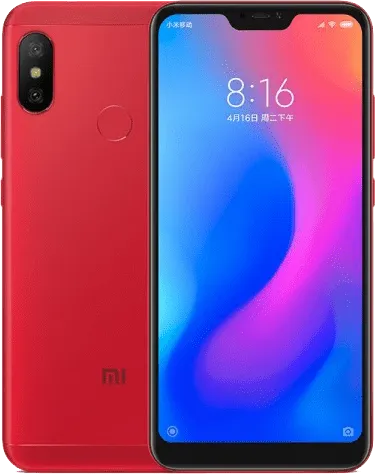
Redmi 6 Pro | V11.0.3.0.PDICNXM ROM Download
Changelog
- Comprehensive design optimized for full screen display devices:
- Removing visual clutter, improving touch controls, and refining the use of color allowed us to create the system where nothing stands between you and the content
- Sounds of nature:
- Notification sounds won't make you tired. Now, they keep changing dynamically, just like nature does.
- Documents:
- Preview your documents before you open them
- Stay productive and efficient with our all-new Mi Doc Viewer
- Printing:
- Print photos and files directly from your phone without installing any additional apps
- System:
- New: Editing, sharing, and customizing your screenshots is now much easier
- Optimization: Updated Android Security Patch to October 2019. Increased system security.
- Optimization: Lock screen pocket mode
- Lockscreen, status bar, Notification shade:
- New: Use your fingerprint to open Home screen once you unlocked the device using face data and stayed on the Lock screen
- Game speed booster:
- New: Continuous swiping opens an additional menu in Game Turbo now
- New: You can create a Home screen shortcut for Game Turbo now
- Optimization: Prompts about turning on Game Turbo
- Fix: Hands-free call duration wasn't displayed correctly in Game Turbo
- Refreshed start page of Game Turbo
- Auto brightness, screenshot gestures, and Reading mode can be turned off automatically when Game Turbo is on
- A major upgrade for the toolbox in Game Turbo: autoplay and switching between data SIM cards are available now
Download Recovery ROM
Fastboot ROM N/A
Recovery ROM
Download MIUI V11.0.3.0.PDICNXM for Redmi 6 Pro
This is the official MIUI V11.0.3.0.PDICNXM ROM for Redmi 6 Pro (sakura). You can download the Recovery ROM directly or use the Fastboot ROM for a clean installation using Mi Flash Tool.
All Redmi 6 Pro ROMs · HyperOS Downloader · Installation Guides