
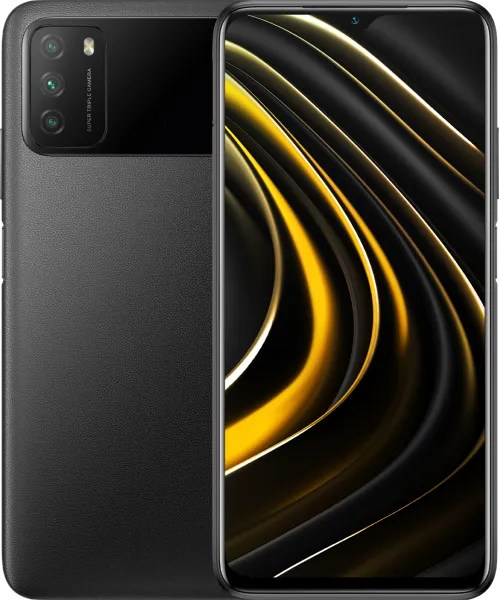
POCO M3 | V12.5.2.0.RJFEUXM ROM Download
Changelog
- Highlights:
- MIUI 12.5. Yours alone.
- System:
- New: With 20 times more rendering power, there are now few limits to what you can see on your screen.
- New: With custom device model adjustments, any phone becomes faster after the upgrade.
- New: Response to gestures is now instant.
- Optimization: MIUI became lighter, faster, and more durable.
- Stable MIUI based on Android 11
- Notes:
- New: Press and hold a sketch to adjust the strokes automatically.
- New: A gesture shortcut now allows you to create notes, tasks, and excerpts anywhere.
- New: Excerpts save text, URLs, and images to Notes in a few simple taps.
- New: Dynamic layouts bring the typography in Notes to a new level.
- New: Compose mind maps with complex structures.
- New: New tools for doodling and sketching.
- All-new Notes.
- Themes:
- Fix: Navigation buttons weren't displayed correctly in the super wallpaper settings
- Fix: Wallpapers from First space were also applied in Second space when Battery saver was on
- Fix: Wallpapers weren't displayed correctly in Second space
- Fix: Wallpapers flashed while device was being unlocked in some cases
- Fix: Wallpaper services crashed in some cases
- Fix: Some wallpaper previews weren't displayed correctly
- Fix: The screen flashed while Fingerprint unlock was being used
- Fix: Wallpapers stayed dark after Dark mode was turned off in some cases
- Fix: Home screen background went black after Ultra battery saver was turned off
- Fix: Incorrect voice prompts for downloading super wallpapers in Accessibility mode
- Fix: Text truncation issues in super wallpapers
- Fix: UI elements overlapped in the super wallpaper settings
- Fix: When system font size was set to large, super wallpaper descriptions overlapped during the setup process
Download Recovery ROM
Fastboot ROM N/A
Recovery ROM
Download MIUI V12.5.2.0.RJFEUXM for POCO M3
This is the official MIUI V12.5.2.0.RJFEUXM ROM for POCO M3 (citrus). You can download the Recovery ROM directly or use the Fastboot ROM for a clean installation using Mi Flash Tool.