
 Emir Bardakçı
With the Android 16 Canary update, Google has silently introduced a practical feature that was in demand for a long time: being able to reverse the order of the navigation buttons. This means that users can change the default order of Recent Apps – Home – Back to Back – Home – Recent Apps, which should be more handy and personalizable. For Xiaomi users, this is not something new; the company has offered such functionality since the early days of MIUI, which was then further polished with the help of Xiaomi HyperOS.
Android 16 Canary Brings Native Button Reordering
With this new option available in Android 16 Canary, users can change the layout of the navigation bar directly from system settings. The feature is designed to improve one-handed use and adapt the interface to individual habits. Google’s native implementation means it’s compatible across a variety of display sizes and device form factors, making it particularly useful on large-screen smartphones and foldable devices.
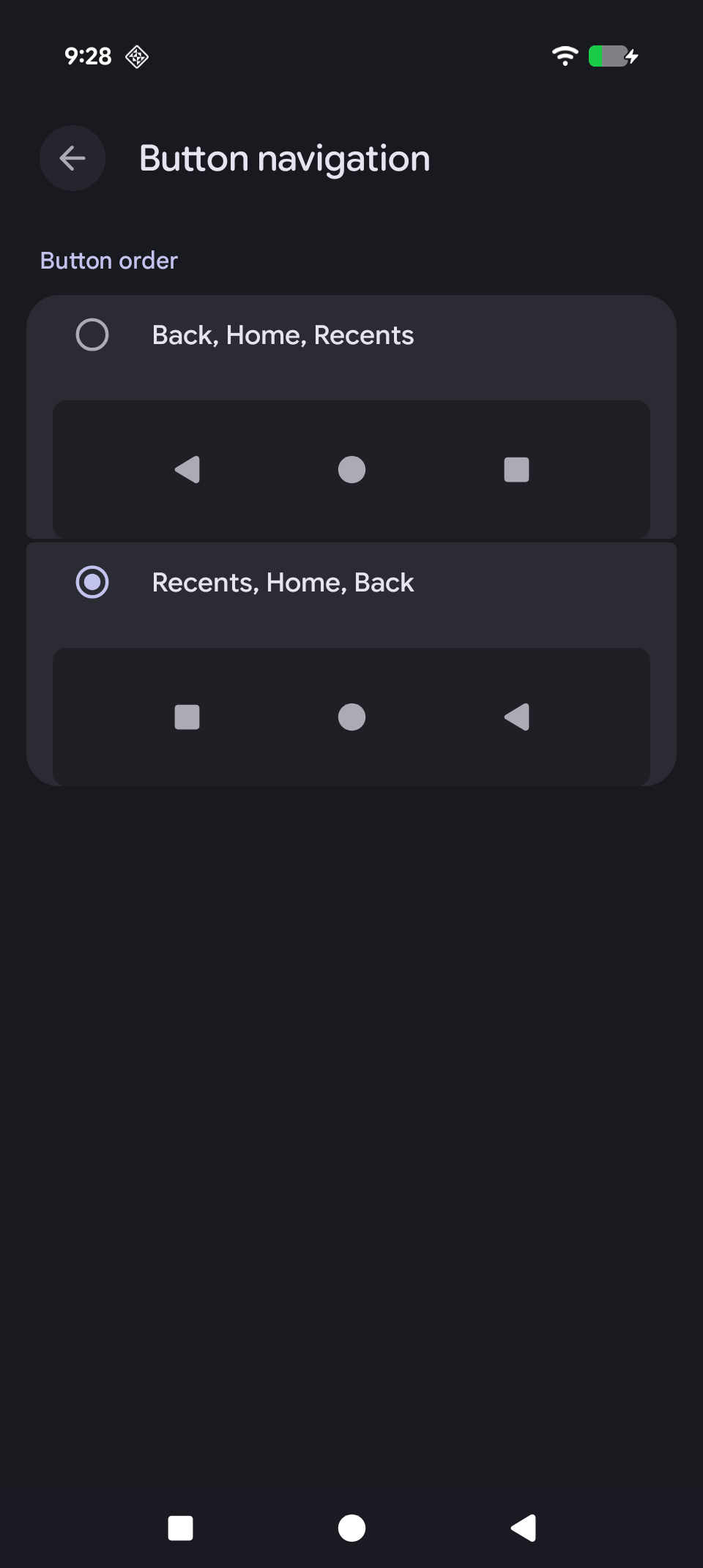
Unlike third-party solutions, the feature is integrated directly into the system layer; it does not impact system stability or battery performance, which is critical for business and enterprise users relying on consistent device behavior. The change is part of Google’s broader effort to make Android more flexible without compromising security or performance.
Xiaomi Offered This Feature Years Ago with MIUI and HyperOS
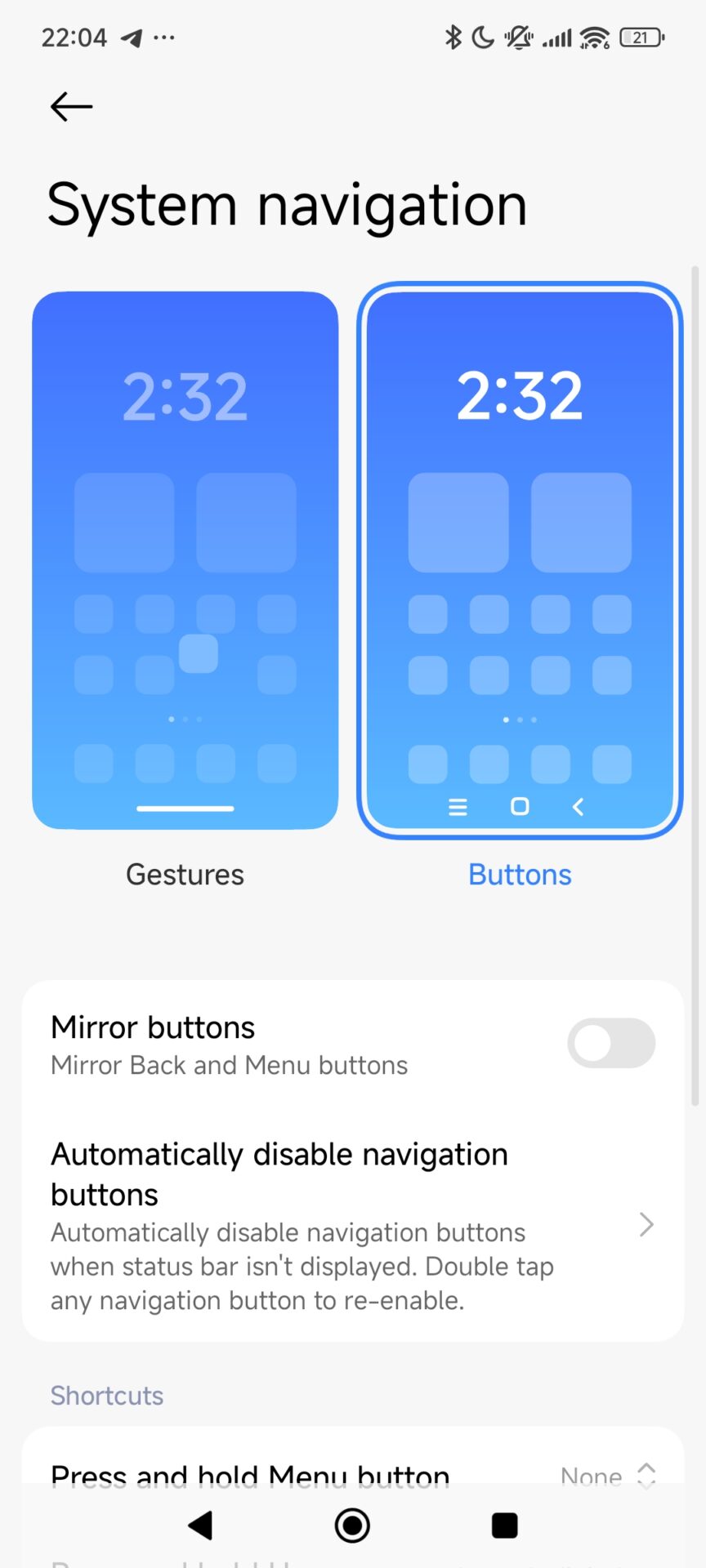
In fact, this functionality was provided long before the same became a common consideration in stock Android. Xiaomi, Redmi, and POCO users could easily change the order of the navigation keys using system settings – no need to dive into developer options or use third-party tools.
After transitioning to Xiaomi HyperOS, this feature was polished even more. Xiaomi optimized the navigation framework to function smoothly across gesture-based and button-based navigation systems. This extended experience stands as a testament to Xiaomi’s approach toward practical usability and real-world user behavior, which often would drive the wider Android development trends over time.
Why This Feature Matters for Productivity
While this might look like a minor modification, navigation ergonomics do contribute directly to daily productivity. Easier access to the Back key consequently simplifies multitasking, in particular for users working with multiple open apps, split-screen mode, and floating windows.
For enterprise-focused users, predictable navigation flow means reduced error rates and faster completion of tasks. At system level, this option also reduces the need for custom ROMs or third-party launchers that keep your devices secure and stable while still offering flexibility.


almost no one asked for this
they should instead enable gesture navigation for other launchers