
As OPPO continues rolling out its Android 16-based ColorOS 16 update, more users are beginning to report bugs and performance issues. This is quite common with major Android upgrades, as apps and system processes often need time to fully adapt to the new software environment.
To help improve stability and fix problems faster, OPPO provides the OS Testing app—a dedicated platform where users can report bugs, capture system logs, and submit feedback directly to developers. Using this app increases the chances of your issue being identified and resolved quickly.
At the moment, the OS Testing app is available only to users in India, but a wider rollout to other regions is expected soon.
How to report ColorOS bugs using the OS Testing app
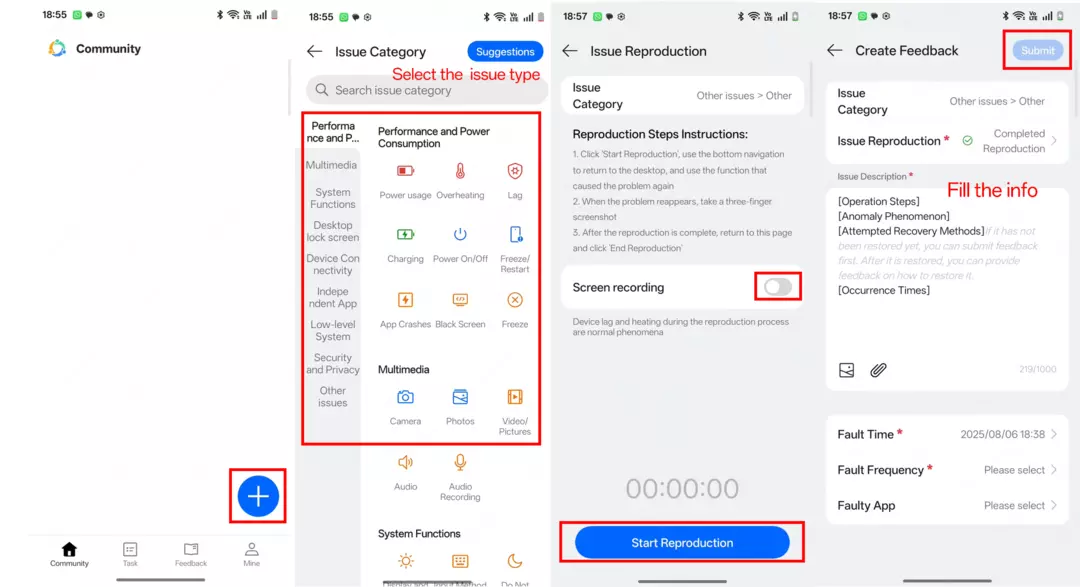
- Go to OS Testing app > Log in the account, the ID is the phone number filled in the confidentiality agreement and password is Heytap123* > click the “+”
- Select the bug type and enter the details page.
- Turn on the ‘Screen recording’ and click ‘Start Reproduction’ to start capture logs. Go back to the function where the issue occurred and try reproducing the issue. After reproducing the issue, come back to this page and tap ‘End Reproduction’.
- Back to the page, describe your issues and include the operation path. Fill out the ‘Operation Steps’, ‘Anomaly Phenomenon’ and other related information. You can also upload images, videos, or other related files for reference.
- Click ‘Submit’ to upload
How to send suggestions through OS Testing
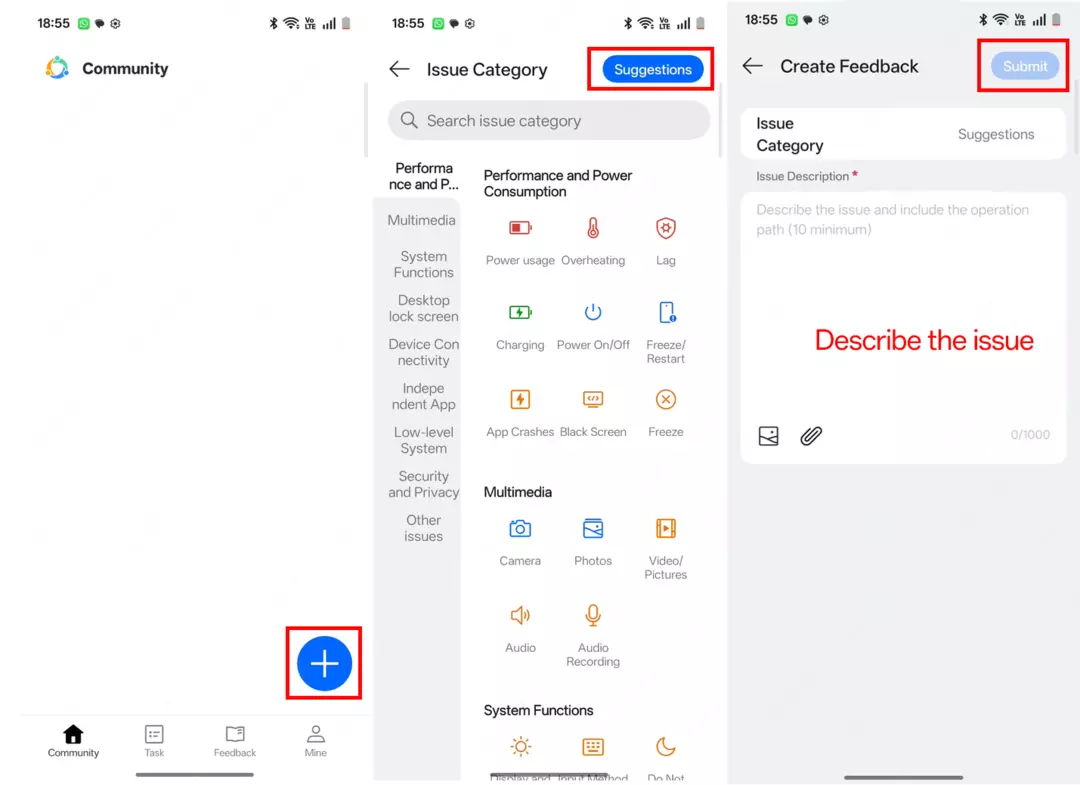
If you’re not experiencing any bugs but have ideas to improve the system, the OS Testing app also allows you to submit suggestions. Simply navigate to the suggestions section and open the submission page.
Describe your idea clearly, including where and how it applies within the system. Adding visuals like screenshots or short clips can help explain your suggestion more effectively.
Help improve future ColorOS updates
Once your suggestion is ready, submit it through the app. OPPO reviews user feedback to refine upcoming updates and introduce features that better match user expectations.