


Recently, there has been a lot of scary news about a new, highly advanced Android malware stealing money from bank accounts. Cybersecurity reports call it “OS-Level Gaslighting” or the “Digital Lutera” attack. It sounds terrifying because it completely bypasses standard bank security measures like SIM-binding and SMS verification.
But before you panic and delete your mobile banking apps, let’s clear the air and explain this as simply as possible.
The Golden Rule: No Root, No Problem
Here is the most important thing you need to know: If you bought your phone from a store and never messed with the core Android system, you are safe from this specific attack.
This malware does not magically infect normal, locked-down smartphones. It specifically targets devices that have been “Rooted” and have a framework called LSPosed installed.
What is LSPosed and Why Do People Use It?
LSPosed is not a virus. It is a powerful tool used by Android enthusiasts to customize their phones. Think of it as a master key that lets you change how the Android operating system behaves.
For example, many Xiaomi users install LSPosed just to use modules like HyperCeiler, which lets them deeply customize the HyperOS interface, remove bloatware, or tweak system animations.
When you root your phone and install LSPosed, you take full control of your device. But with great power comes great responsibility. You are essentially turning off Android’s built-in security guards.
How the “Digital Lutera” Hack Actually Works
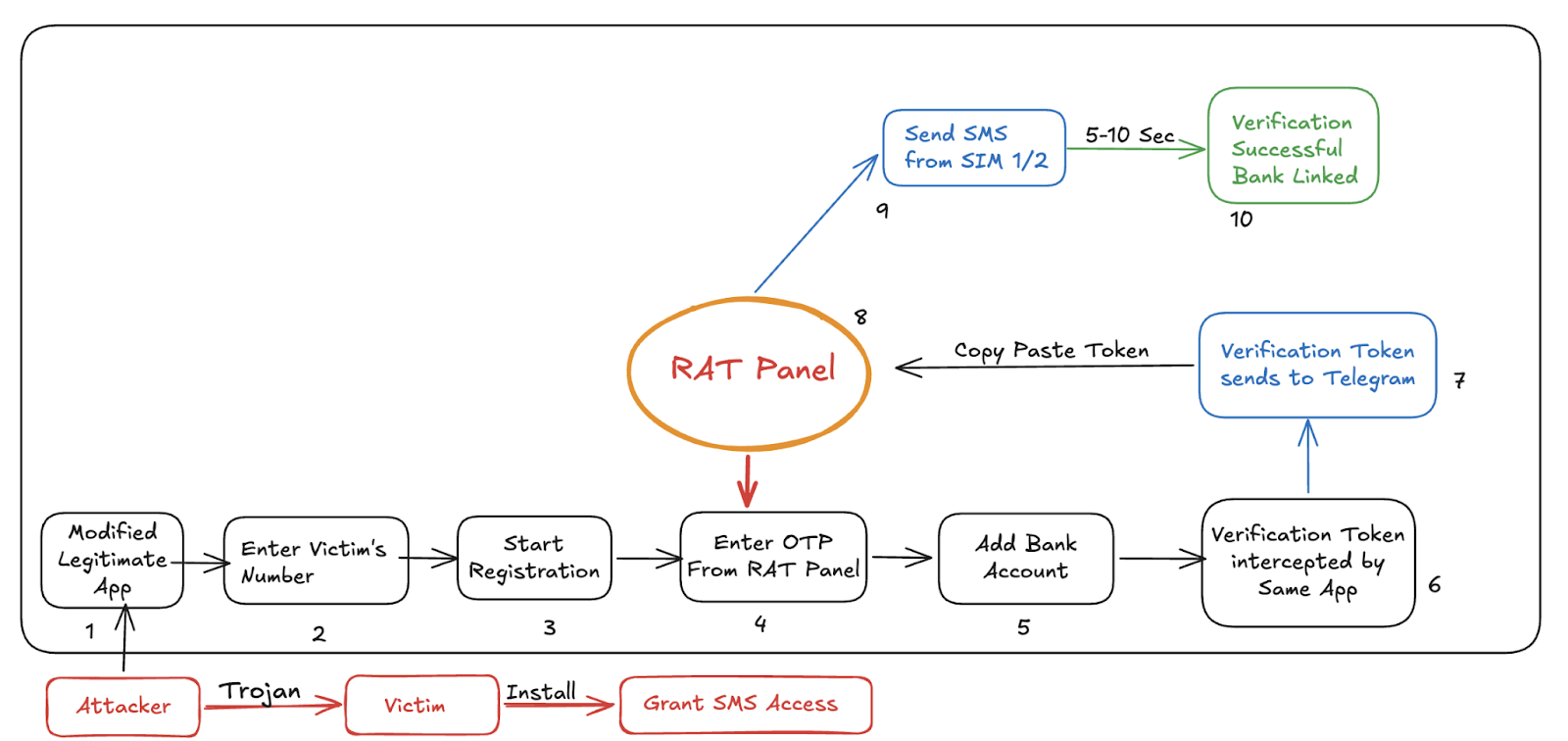
Normally, when you log into a payment app, the bank sends a silent, hidden SMS from your phone to verify that your physical SIM card is actually inside the device.
If a hacker tricks a user into installing the “Digital Lutera” module via LSPosed, here is what happens:
-
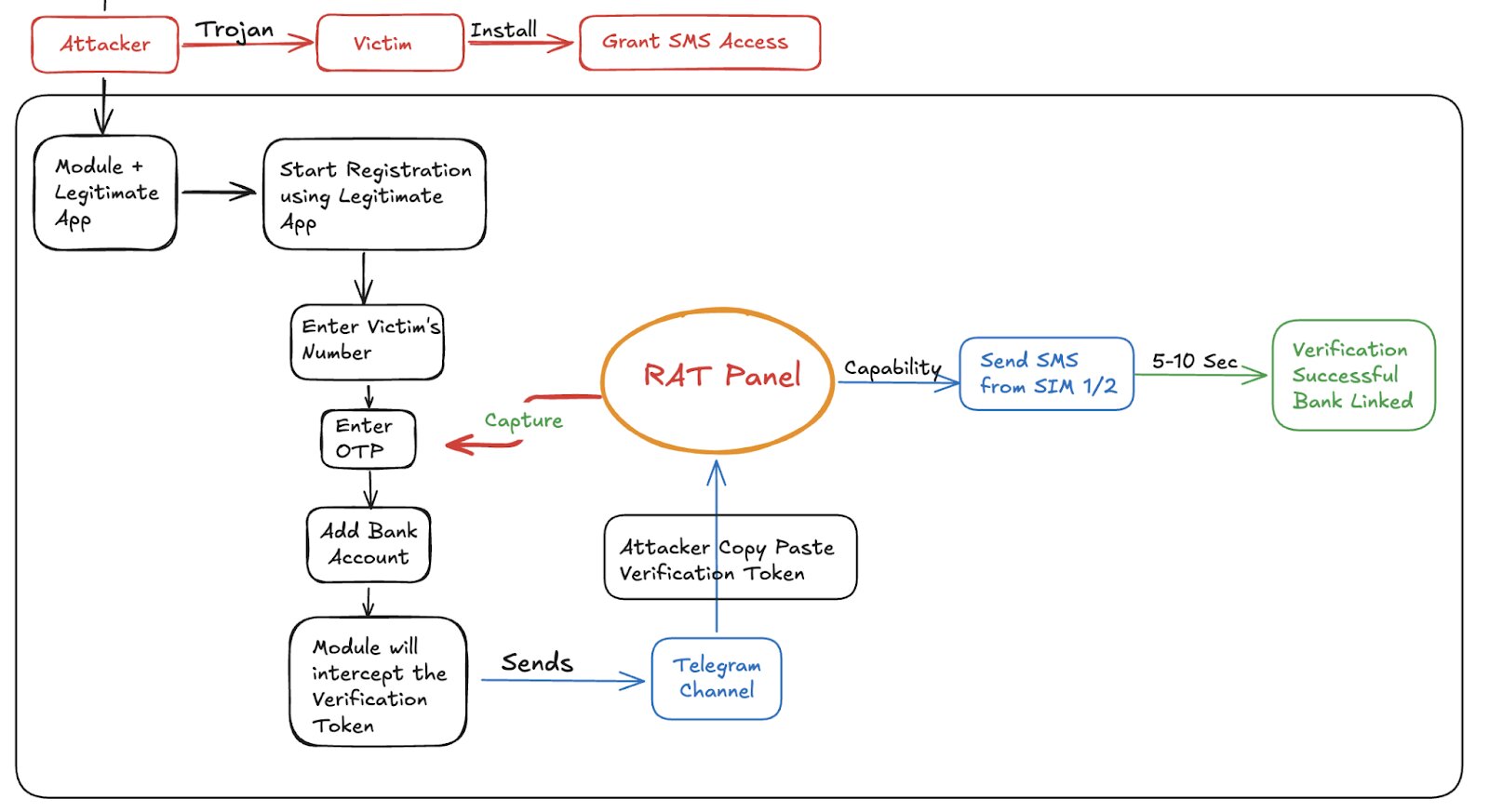
The bank app tries to send the security SMS.
-
The malicious module intercepts it like a bouncer at a club.
-
It blocks the SMS from actually sending but tells the bank app, “Yep, I sent it! We are all good.”
-
Meanwhile, it secretly sends the real security code to the hacker via Telegram.
-
The hacker uses that code to log into the victim’s bank account from a completely different country.
Because the bank application itself wasn’t modified or hacked, standard antivirus apps and Google Play Protect think everything is completely normal. The module is basically “gaslighting” the bank app into believing a lie.
Are You at Risk? Here is What to Do:
-
For 99% of Users: If you don’t know what “Root”, “Magisk”, or “LSPosed” means, you don’t have them. Keep your phone updated, don’t install shady APKs from random websites, and you are fine.
-
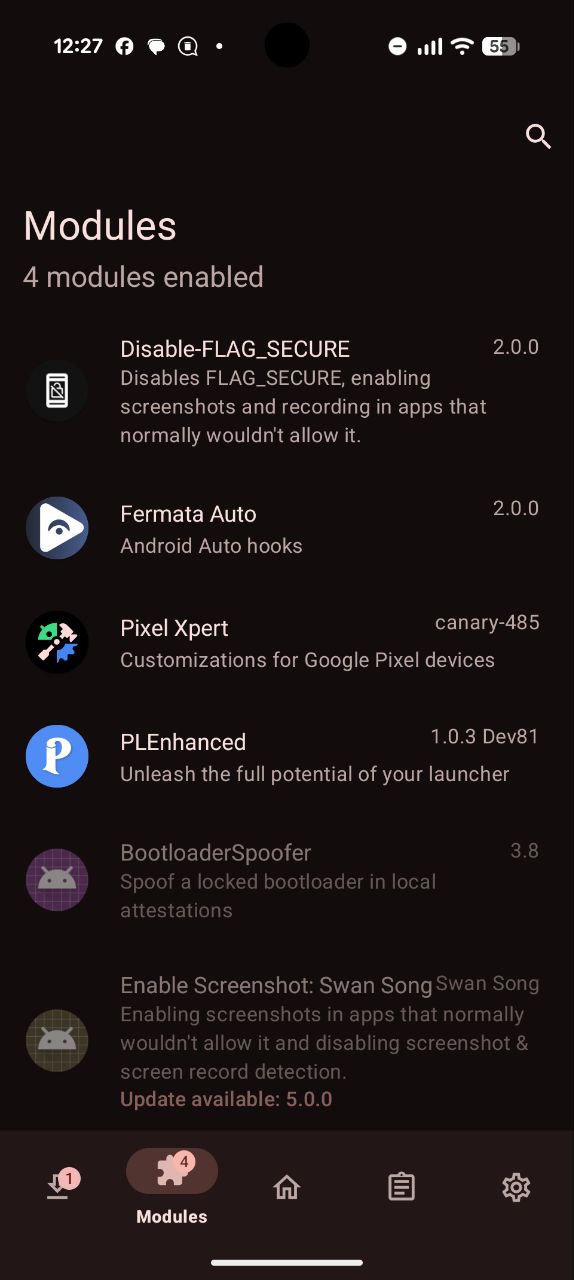
For the Rooted Users: If you have rooted your phone to use customization mods like HyperCeiler, check your LSPosed modules immediately. Make sure you know exactly what every active module does. If you see a module you didn’t install, disable it, uninstall it, and change your banking passwords.
Rooting your phone is like taking the doors off your house to get better airflow. It’s cool, but you better be watching who walks inside.



