


Xiaomi HyperOS has broadened lock screen customization to a much larger extent than before, transforming it from a simple wallpaper display into a tangible, living part of the operating system. With layered structures, magazine-like designs, depth effects, dynamic text handling, and intelligent object identification, these new styles perfectly blend aesthetics with technical prowess.
If you are a Xiaomi user running HyperOS, you will notice that your lock screen is no longer merely a still image. In this article, we will elaborate on three remarkable HyperOS lock screen styles that demonstrate this fusion of visual appeal and engineering.
Importance of HyperOS Lock Screen Styles
The lock screen for HyperOS is designed to make effective and efficient use of AMOLED display technology. Xiaomi utilizes smart algorithms to create a “depth effect” on background images, allowing widgets and the clock to interact dynamically with the photograph (e.g., tucking part of the clock behind a foreground object).
These are not just aesthetic touches; they reflect Xiaomi’s attention to design at a system level. Every design is scalable, optimizing itself for the screen size, resolution, and brightness of all Xiaomi devices.
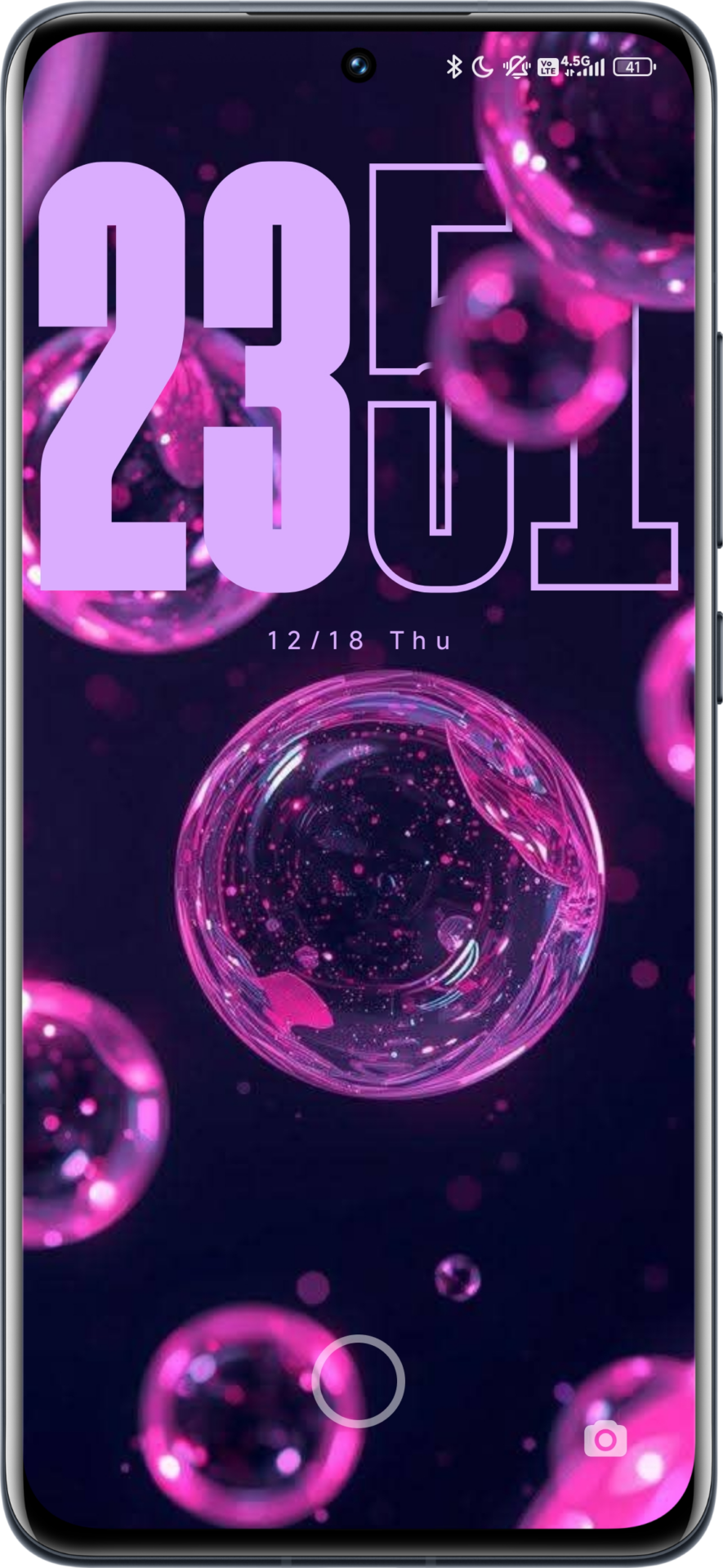
Style 1: Neon Bubbles and Depth Effect
This style features a dark background with abstract neon-colored bubbles, designed to highlight the deep blacks and color contrast of AMOLED screens. The clock uses the signature bold HyperOS font with a depth effect, where some components of the numbers appear to move behind the floating bubbles. The clock also features automatic color adaptation, picking up shades of purple to match the wallpaper’s palette.
Key characteristics:
-
High contrast ratio optimized for AMOLED displays
-
Strong depth separation
-
Clean and modern visual language

Style 2: Natural Macro with Vertical Layout
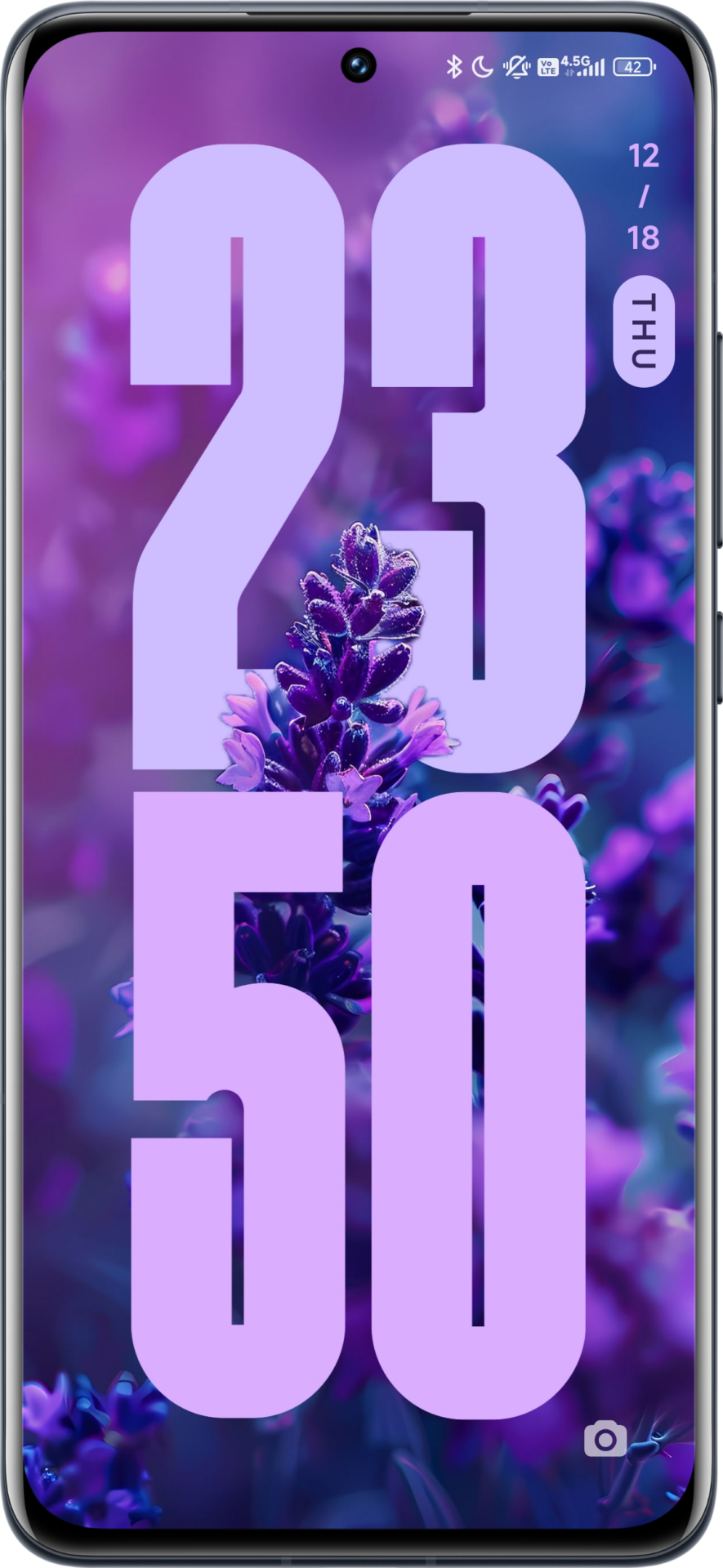
Taking inspiration from editorial magazine covers, this design pairs a macro photograph of a lavender flower with a vertical clock positioning. HyperOS is capable of identifying the flower stem and petals to intelligently overlap them onto the clock digits. The vertical alignment allows for a balanced composition while keeping the center of the screen open and breathable. The minimal use of color reduces eye strain, making this style perfect for daily use.
Key characteristics:
-
Vertical Clock Alignment
-
Advanced object detection
-
Soft, natural color balance

Style 3: East Asian Landscape with Outline Clock
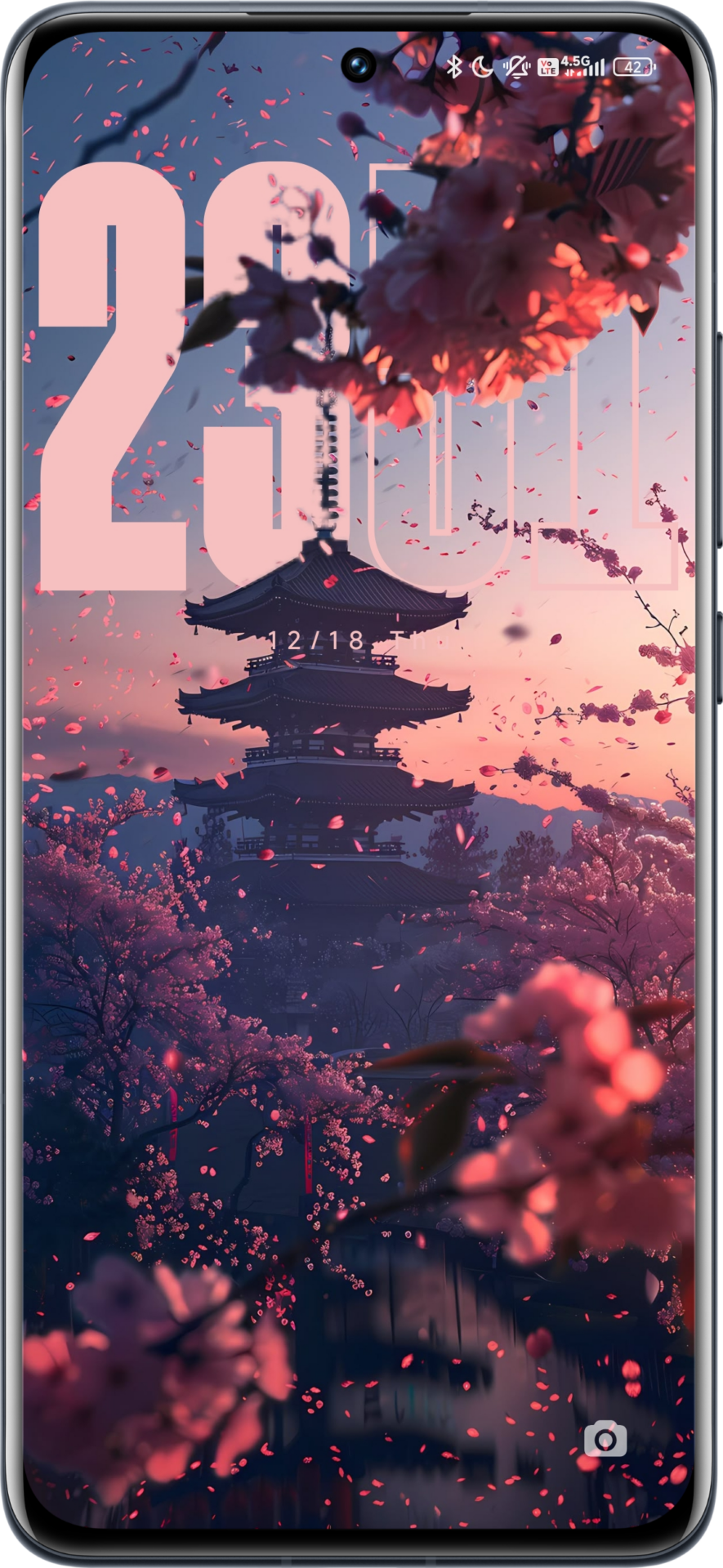
This design combines traditional scenery with modern typography. The background features a pagoda amidst East Asian cherry blossoms painted during a sunset. Because the image is rich in detail, HyperOS applies an “outline” font style to the clock instead of a solid fill. This ensures the time remains visible without obscuring the intricate details of the artwork (like tree branches) behind it.
Key characteristics:
-
Outline clock design
-
Layered foreground elements
-
Balanced readability on complex images

Final Tips for Xiaomi Users
The lock screen options for each of these styles are managed natively within the framework and do not require any additional theme installations; you just need the appropriate wallpapers.
You can update Xiaomi system applications related to themes and customization via HyperOSUpdates.com. Additionally, the MemeOS Enhancer app on the Google Play Store enables access to hidden features, system app updates, and more on your Xiaomi device.



When will HyperOS v3 be available for Xiaomi 14T Pro? I’ve been waiting for it. Hope it get out soon.
I’m also waiting for Hyper OS 3 on my Xiaomi 14T Pro.
3 HyperOS lock screen setups to make your Xiaomi devices feel high end is the change
3 HyperOS lock screen setup is the change
I have the REDMI NOTE 14 and I don’t have depth effect any solution??
my redmi note 13 pro plus 5g does not accept updating even when clicking update nothing happens
Indian version
my redmi note 13 pro plus 5g does not accept updating even when clicking update nothing happens
Indian version